

After a completed Maryland remote online notarization through Proof, you receive access to the notarized electronic document. In 2026, your next steps are to save the completed file, check it, and send it according to the recipient’s instructions. Notarization does not automatically submit, record, or guarantee acceptance of your document.
- What happens after remote online notarization: save the completed electronic document, check it, and follow the recipient’s submission instructions.
- Craigvetnotary serves Maryland individuals and businesses seeking remote online notarization for eligible documents through Proof.
- Keep the completed electronic file unchanged; a printed copy does not preserve its electronic verification features.
- Confirm acceptance, filing requirements, and delivery instructions with the organization receiving your document.
What happens to my document after a remote online notarization?
Your completed document contains the electronic signatures and notarial certificate associated with the completed transaction. The notarial certificate records the notarial act; it does not establish that every statement in the document is true or that the document meets every recipient requirement.
Follow the completion instructions provided through Proof to access your document. For service questions before another transaction, Craigvetnotary offers Maryland remote online notarization for eligible documents through Proof.
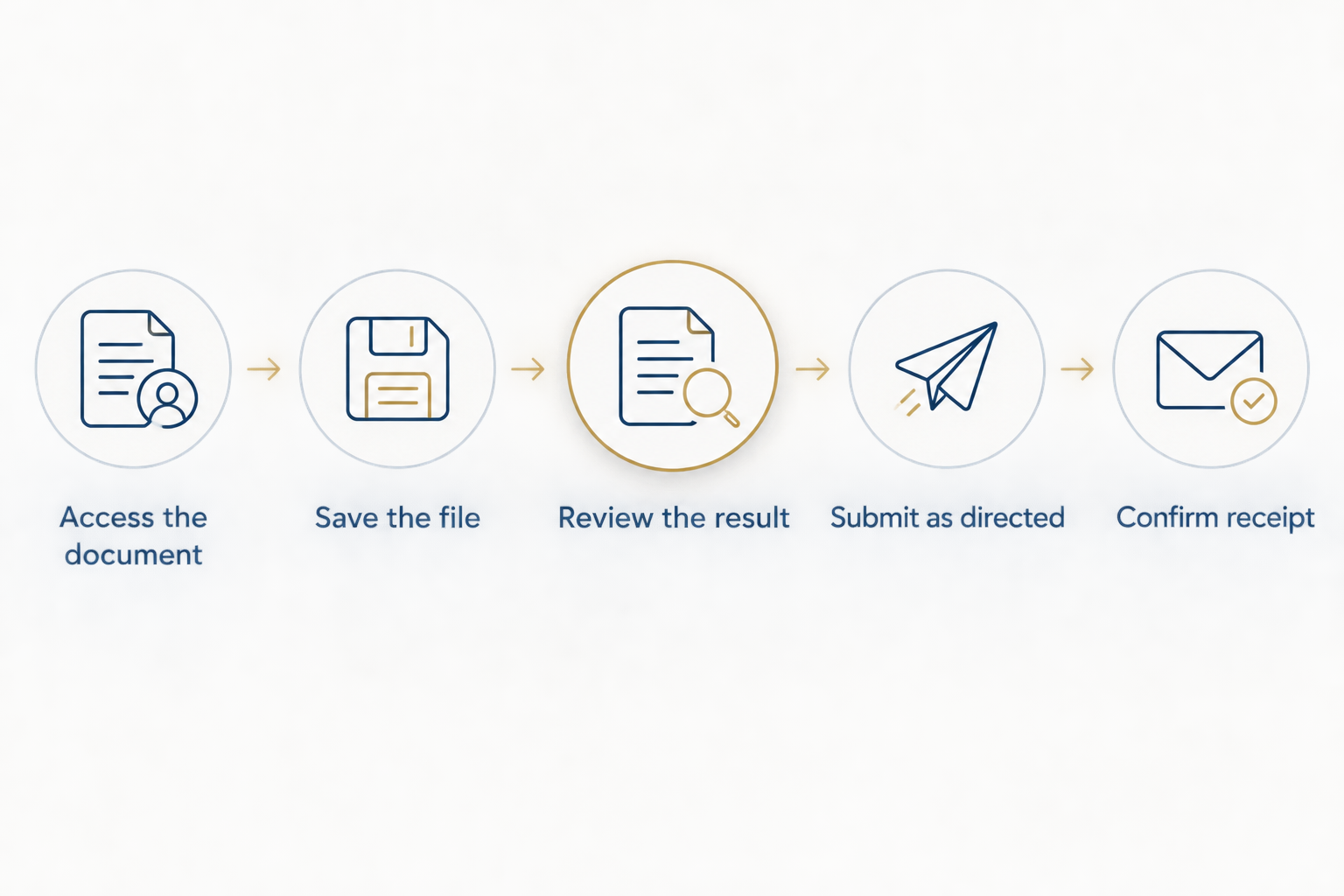
Use this sequence after a successful session:
- Access the document. Follow the transaction’s completion instructions rather than downloading an earlier unsigned version.
- Save the file. Keep the completed electronic document in a secure location you control.
- Review the result. Check the document, signatures, and notarial certificate for apparent problems.
- Submit as directed. Use the receiving organization’s required delivery method.
- Confirm receipt. Keep the recipient’s acknowledgment with your transaction records.
These are separate actions. Finishing the video session is not the same as finishing the underlying business, family, or filing task.
Why this matters
A notarized document still needs to reach the correct person in the correct format. An employer, lender, attorney, government office, or other recipient can have instructions that extend beyond the notarization itself.
Treat notarization and submission as 2 separate tasks. Before you close out the transaction, identify who handles delivery and what evidence confirms receipt. That distinction prevents an unfinished submission from being mistaken for a completed matter.
What should I check before sending the completed file?
Use 3 checks for your 2026 document workflow: document completeness, certificate details, and recipient instructions. Review what is visible without changing the completed file.
Check the document itself
Open the completed file and make sure it is the document you intended to sign. Check that its pages are readable and that the expected attachments are present.
Look for obvious issues such as an incorrect name, a missing page, or a document version you did not intend to use. Do not replace a page or type a correction into the completed file yourself. Preserve the file and ask the notary how the issue should be addressed.
Check the notarial certificate
Look for the completed notarial certificate and the notary’s electronic signature and seal. Confirm that the signer’s name and date appear consistent with the transaction you completed.
This is a practical review, not a legal determination. If something appears incomplete or inconsistent, contact the notary before submitting the document. A receiving organization or attorney should answer questions about whether the document meets the underlying transaction’s legal requirements.
Check the recipient’s instructions
Confirm the destination, file format, delivery method, and any supporting materials. Ask whether the recipient requires the electronic file rather than a paper copy.
If another person arranged the notarization, establish whether that person will submit the document. Do not assume that the organizer, notary, or platform has already sent it to the final recipient.
Should I keep the electronic file or print it?
Keep the completed electronic file even if you also need a paper copy. An electronic document and its printout do not preserve the same verification information.
| Format | Best for | Benefit | Limitation |
|---|---|---|---|
| Completed electronic file | Electronic submission and preserving electronic verification features | Retains the document in its completed electronic form | The recipient needs a process that accepts that form |
| Printed copy | Reference or a paper submission expressly accepted by the recipient | Provides a readable physical copy | Does not preserve electronic signature verification features |
Printing does not recreate the electronic signatures as handwritten signatures. Scanning that printout also does not restore the original electronic verification features.
If an office asks for an original, ask what it means in the context of an electronically notarized document. The answer determines your next step; do not assume a printout satisfies the instruction.
For that specific issue, read whether a notarized PDF can be printed and still valid in Maryland. Confirm the receiving office’s requirements before relying on paper delivery.
How should I store and share the document?
Keep 1 unchanged master file as a practical recordkeeping rule. Store working copies separately so you do not accidentally replace the completed version with an unsigned draft or altered copy.
Choose storage appropriate to the information in the document. Limit access to people who need it, protect the account holding the file, and use the recipient’s designated submission channel when one exists.
Avoid converting the file into another format, combining it with unrelated documents, or adding annotations to the master. Those actions can affect electronic signature validation or make it harder to identify the completed version.
For sensitive documents, verify the destination before sending. A familiar display name alone is not enough to establish that an email address or upload request belongs to the intended recipient.
What should a business keep with the file?
For repeat notarizations in 2026, maintain a consistent handoff record. Record the document’s purpose, responsible employee, completion date, intended recipient, and submission status without placing unnecessary personal information in a broadly accessible tracker.
Separate access to the notarized document from access to routine scheduling notes. Your team can track whether a transaction is complete without giving every employee access to its contents.
Why do the next steps vary between documents?
The next steps depend on the document and its destination, not simply on whether the notarization occurred online. Confirm these factors before you treat the matter as finished:
- Recipient acceptance: The receiving organization determines its submission requirements, subject to applicable law.
- Required format: An electronic upload, accepted paper copy, or another prescribed format requires a different handoff.
- Filing or recording: Some transactions involve a separate submission to a public office; notarization alone does not accomplish it.
- Additional participants: Another signer or witness requirement can affect whether the overall document is complete.
- Document corrections: An apparent error needs review before you rely on or distribute the completed document.
- Destination rules: Out-of-state or international use can introduce requirements beyond the Maryland notarial act.
Confirm the receiving organization’s requirements before arranging another session. Repeating a notarization without resolving the actual issue does not answer a format, filing, or acceptance question.
Does the document get filed automatically?
No. Completing remote online notarization does not by itself file a document with a court, land records office, government agency, or private organization.
If a filing service or transaction organizer is involved, ask who is responsible for submission and how you will receive confirmation. Keep that confirmation separately from evidence that the notarization occurred.
A document can be notarized successfully while the related filing remains unfinished. For your 2026 records, track notarization status and filing status separately rather than using a single completed label for both.
Can I change the document after it is notarized?
Do not edit the completed notarized file to correct substantive information. Preserve it unchanged and explain the problem to the notary and, when appropriate, the receiving organization or your attorney.
The appropriate correction depends on the error. A mistake in the underlying document and a mistake in a notarial certificate are different issues; do not assume that either can be resolved by replacing a page or adding text.
Keep correspondence about the issue with the relevant records. If a replacement document or another notarial act is needed, clearly distinguish the replacement from the earlier version.
Who keeps the recording and notarial records?
Maryland remote online notarization involves notarial recordkeeping requirements, including an audiovisual record of the remote act. Those records serve a different purpose from your completed document.
Your saved document is not a substitute for the notary’s required records, and those records are not a substitute for your saved document. Do not assume that downloading the document also gives you the session recording or journal entry.
If you need a record for a dispute, compliance inquiry, or legal proceeding, ask about the applicable request process. Access, disclosure, and retention requirements should be addressed through the responsible record holder rather than assumed from your access to the signed file.
How should I prepare for another Maryland session?
Start by confirming that the document is eligible for remote online notarization and that the recipient accepts the intended format. Not every document or transaction is suitable for remote completion.
The basic appointment sequence is:
- Describe the request. Identify the document type, number of signers, and any recipient instructions.
- Confirm eligibility. Resolve questions about document suitability, witnesses, and the required notarial act before the session.
- Prepare for Proof. Follow the supplied instructions for document access, identity verification, and the audio-video connection.
- Complete identity verification. Follow the applicable verification process; uploading a document alone does not complete notarization.
- Attend the session. Follow the notary’s directions for signing and any required acknowledgment or oath.
Craigvetnotary is suited to Maryland individuals and businesses seeking remote online notarization for eligible documents through Proof. Remote appointments avoid an in-person meeting, but they still require eligibility, successful identity verification, and suitable technology.
Mobile notarization is a secondary option when an in-person appointment is appropriate. Confirm Baltimore County availability before booking. A request is not a confirmed appointment; wait until the service contacts you to confirm arrangements.
FAQ
What happens after remote online notarization in Maryland?
After remote online notarization, access the completed electronic document, save it unchanged, review it, and submit it according to the recipient’s instructions. Notarization does not automatically file or record the document.
Will Proof automatically send my notarized document to the recipient?
Do not assume the completed document has reached its final recipient. Follow the transaction’s delivery instructions and confirm whether you, the organizer, or another designated party is responsible for submission.
Can I print my remotely notarized document?
You can print a copy, but printing does not preserve electronic signature verification features. Keep the completed electronic file and ask the receiving organization whether it accepts a printout.
Can I edit a notarized PDF if I find a mistake?
Do not edit the completed notarized PDF yourself. Preserve it unchanged and contact the notary about the apparent error; ask an attorney about legal consequences or changes to the underlying document.
Does my notarized document automatically expire in 2026?
A notarized document does not automatically expire merely because the calendar reaches 2026. The document’s terms, applicable law, and the recipient’s requirements determine whether it remains usable for its intended purpose.
What should a business do after each remote notarization?
A business should save the completed electronic file, identify who handles submission, and retain confirmation of receipt. Track notarization and filing as separate tasks when a filing is required.
Can Craigvetnotary notarize every document remotely?
Craigvetnotary offers Maryland remote online notarization through Proof for eligible documents, not every document. Confirm eligibility and recipient requirements before scheduling; an appointment request remains unconfirmed until you are contacted.
One last thing
Before you archive the transaction, ask one practical question: Does the recipient have the completed document in the format it requires? A successful notarial session and a successful delivery are different milestones.
For your 2026 workflow, keep the unchanged electronic file and the delivery confirmation together. That pairing is more useful than a calendar entry showing only that a session took place.
Craig is not an attorney and cannot provide legal advice. Questions about legal effect, document selection, enforceability, or filing obligations belong with a qualified attorney or the responsible receiving office.


