
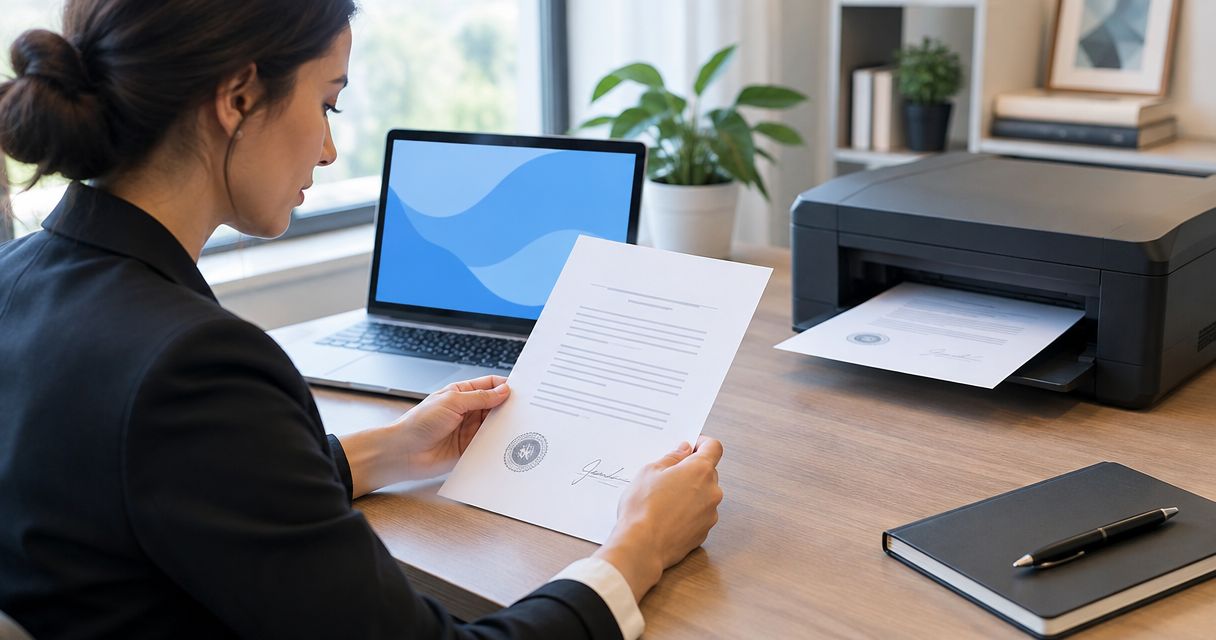
A notarized PDF can be printed in Maryland, but the printout is not automatically equivalent to the electronically notarized record or acceptable for every purpose. For a Maryland remote online notarization completed through Proof in 2026, preserve the original electronic file and confirm the receiving organization’s format requirements before submitting paper.
- Can a notarized PDF be printed and still valid in Maryland? Acceptance depends on the recipient and required format.
- Preserve the electronically notarized PDF; paper does not retain its electronic signature-verification features.
- Craigvetnotary offers Maryland remote online notarization through Proof for eligible documents.
- Ask whether the recipient accepts an ordinary printout or requires a different paper-document procedure.
Can a notarized PDF be printed and still valid in Maryland?
Printing does not undo the underlying electronic notarization, but it does not turn the paper into an electronically verifiable original. A printout shows the document’s visible contents. It does not carry the electronic file’s signature-validation functionality.
Separate the validity of the notarial act from the acceptability of your submission. A properly completed electronic notarization and a recipient’s requirement for a particular document format are different questions.
| Format | Best for | Main benefit | Main limitation |
|---|---|---|---|
| Original electronically notarized PDF | Recipients accepting electronically notarized records | Preserves the electronic record and its verification features | Must be submitted through a method the recipient accepts |
| Ordinary paper printout | Recipients that expressly accept printed copies | Provides a readable physical copy | Does not preserve electronic signature verification |
| Paper document with a new in-person notarization | Transactions requiring that paper-based process | Creates a separate paper notarial record | Requires another appointment and confirmation of the appropriate procedure |
Craigvetnotary offers Maryland remote online notarization through Proof for eligible documents, with mobile notarization as a secondary option. Establish the required final format before choosing either service.
Why this matters
The visible seal is not the whole electronic record. Electronic notarization includes electronic signatures and a notarial certificate; the appearance of those elements on paper is not a substitute for validating the electronic file.
A document can therefore look complete while still being submitted in the wrong format. Before a 2026 appointment, ask the actual receiving office what it accepts—not merely whether it accepts notarized documents in general.
This distinction matters when you handle documents for a family member or submit paperwork repeatedly for a business. A consistent intake question about electronic versus paper delivery prevents you from choosing a process that does not match the recipient’s instructions.
How do you prepare an eligible document for remote notarization?
Confirm acceptance first, then arrange the notarization. Do not complete an online appointment on the assumption that printing afterward will satisfy a paper-original requirement.
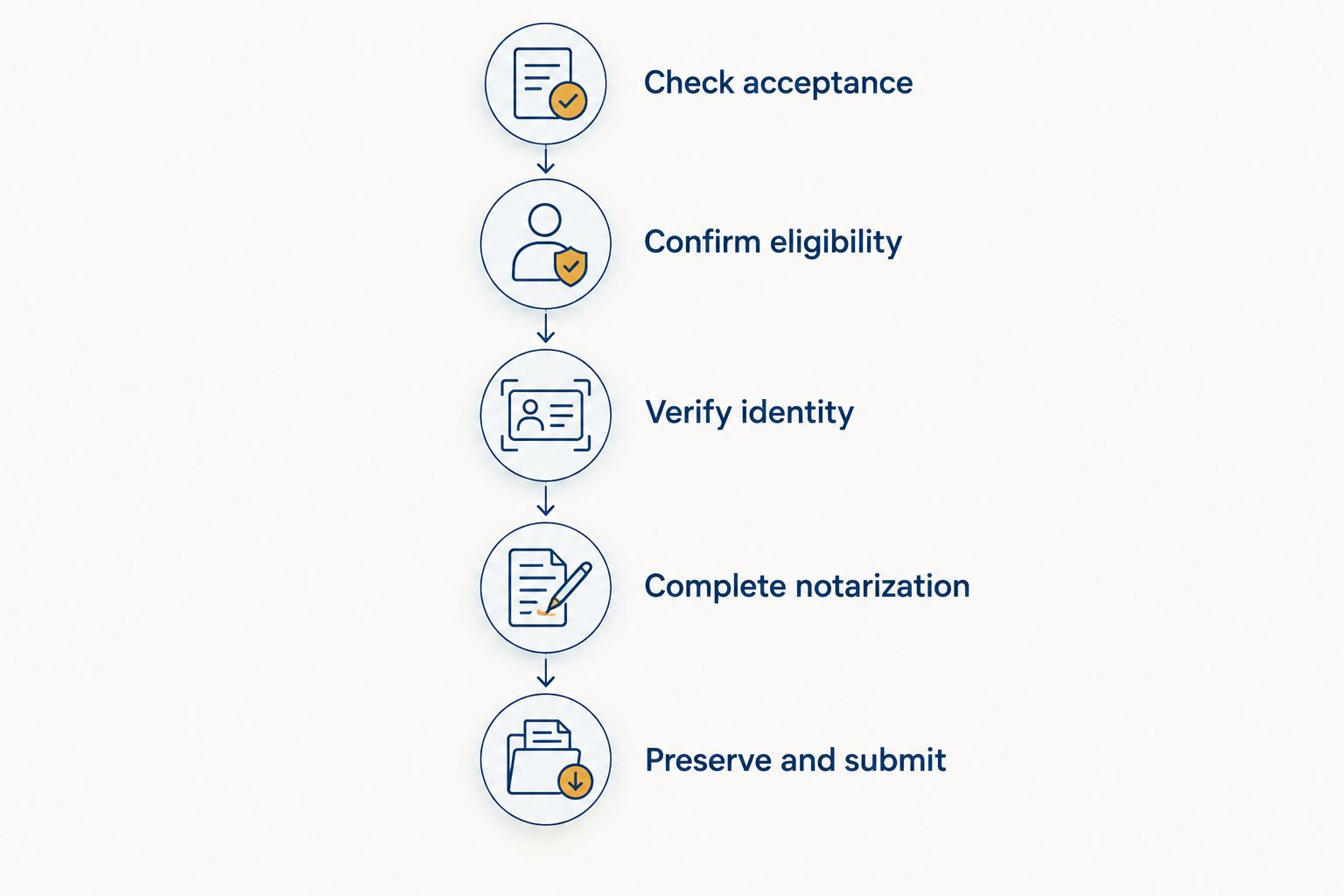
Use this sequence for Maryland remote online notarization through Proof:
- Check acceptance. Ask the recipient whether it accepts remote online notarization and whether it wants the completed electronic PDF or paper. Identify the receiving department, because instructions from an unrelated department do not settle your transaction’s requirements.
- Confirm eligibility. Describe the document and its intended use when requesting service. Ask about signer location, witnesses, document restrictions, and any instructions supplied by the recipient. Do not assume every document qualifies for remote notarization.
- Verify identity. Follow the identity-verification instructions provided for the Proof appointment. Have the identification requested for your session ready, and ensure your device supports the required live audio-video interaction. Do not send identity documents through an unrequested channel.
- Complete notarization. Follow the notary’s instructions during the session. Do not sign early unless instructed. The notarial certificate must correspond to the act performed; choosing a legally appropriate act is not something the notary can decide for you as legal advice.
- Preserve and submit. Keep the completed electronic file unchanged. Send that file when electronic submission is required, or print only after confirming that the recipient accepts the resulting paper copy.
These are preparation steps, not a promise that a particular document will qualify. An appointment request is not a confirmed appointment; Craigvetnotary must contact you before arrangements are confirmed.
Why acceptance of a printed notarized PDF varies
A Maryland notarization does not answer every question about the document’s use. For a 2026 submission, resolve these separate requirements with the recipient:
- Required format. The recipient might request an electronic record, an ordinary printed copy, or a paper document completed through a specified process. Ask which category applies.
- Document-specific rules. Particular documents and transactions have execution requirements beyond notarization. Witnesses, signatures, attachments, and prescribed forms require separate attention.
- Receiving jurisdiction. A document notarized under Maryland requirements can be intended for use elsewhere. The place receiving the document can have additional submission or authentication requirements.
- Verification method. An electronic file supports checks that a paper image does not. Ask how the recipient expects to inspect electronic signatures or verify the completed record.
- Filing instructions. A court, recording office, financial institution, or other recipient can prescribe a submission method. Follow the instructions for the specific filing rather than relying on a general statement about notarization.
Ask about acceptance of the exact format, not just acceptance of notarization. That wording exposes the difference between an acceptable electronic transaction and an unacceptable paper submission.
What does printing preserve—and what does it leave behind?
Printing preserves a visible representation of the PDF’s pages. That ordinarily includes the text, signature appearance, and visible notarial certificate displayed in the file.
Printing does not transfer the electronic signature’s verification features to the sheet of paper. A person holding the printout cannot use that sheet alone to perform the same electronic validation available from the original file.
This is why a visible electronic seal is not enough to resolve an acceptance question. It shows what appears on the document, but the recipient must still decide whether that form of submission meets its requirements.
Do not edit a completed PDF to make its certificate look more familiar. Do not copy a seal or signature image into another document. Preserve the original record and ask for instructions if the recipient requests a different format.
Can you scan the printout and use that PDF instead?
Scanning a printout does not recreate the original electronically notarized PDF. It creates a new electronic image of the paper copy, without restoring the original file’s electronic signatures or their validation features.
If the recipient accepts electronic records, submit the completed file you received rather than a print-and-scan replacement. If an upload system rejects that file, ask the recipient how to proceed before converting, compressing, or otherwise changing it.
Keep attachments and certificate pages together as issued. Removing pages, substituting pages, or separating a certificate from the document creates avoidable questions about what was actually notarized.
What if the recipient requires a paper original?
An ordinary printout does not, by itself, establish that you have satisfied a paper-original requirement. Ask the recipient to identify the acceptable process before arranging another notarial act.
The recipient might require a newly executed paper document with an in-person notarization. If a certified paper copy of an electronic record is proposed instead, confirm both that the procedure is legally available for your situation and that the recipient accepts it. Do not assume an ordinary printout meets a certification requirement.
For a mobile appointment, confirm Baltimore County availability before booking. Provide the document type, location, signer details, and any witness instructions so the appointment request addresses the actual transaction.
A new appointment is not simply a way to stamp an existing electronic seal again. Explain what the recipient rejected and what it now requires; the appropriate next step depends on that information.
How should businesses handle repeat notarizations?
Craigvetnotary is best for Maryland individuals and businesses seeking remote online notarization for eligible documents through Proof. Remote service supports an electronic-document workflow, but it does not eliminate document eligibility checks, identity verification, or recipient-specific requirements.
For repeat business use in 2026, maintain an internal record of each recipient’s instructions. Separate electronic acceptance from paper acceptance, and record who supplied the instructions so staff can resolve conflicting guidance.
A practical business intake checklist covers:
- The receiving organization and department.
- The document’s purpose and required notarial act, as supplied by the document or appropriate adviser.
- Whether remote online notarization is accepted.
- Whether the final submission must be electronic or paper.
- Any witness, signer-location, or delivery requirements.
- The person responsible for preserving the completed electronic record.
Do not treat a previous acceptance as a permanent rule for every later transaction. Different documents or receiving departments can require different handling. Reconfirm instructions when the document, recipient, or transaction changes.
What should you ask before printing the completed PDF?
Send a specific request to the receiving office: identify the document, explain that it will be electronically notarized through a Maryland remote online notarization, and ask which final format it accepts. Request written instructions when practical.
Your questions should distinguish an ordinary printout from a certified paper copy and from a newly signed paper original. Those descriptions are not interchangeable, even when the pages look similar.
Also ask how supporting pages should be delivered. If the office requires an electronic upload, find out whether it wants the complete original PDF rather than extracted pages or screenshots.
Save the response with your transaction records. This does not guarantee acceptance, but it gives you a clear instruction to follow and a contact to consult if submission questions arise.
FAQ
Can I print a remotely notarized PDF and mail it in Maryland?
You can print the PDF, but confirm that the receiving organization accepts an ordinary paper copy before mailing it. Printing does not preserve the electronic file’s signature-verification features.
Does printing a notarized PDF make the notarization invalid?
Printing does not itself undo the underlying electronic notarization. The separate question is whether the printout satisfies the recipient’s document and submission requirements.
Is a printed electronic notary seal the same as an original ink stamp?
A printed electronic notary seal is a visible reproduction, not an ink stamp applied during a separate paper notarization. Its appearance alone does not establish that the paper meets an original-document requirement.
Can I scan the printed copy and send that instead of the original PDF?
A scan does not recreate the original electronically notarized PDF or restore its electronic signature verification. Send the original completed file when the recipient requires the electronic record.
Will every Maryland office accept a printed notarized PDF in 2026?
Do not assume every Maryland office accepts a printed notarized PDF in 2026. Confirm the requirements with the specific receiving office and identify whether it requires electronic delivery, a paper original, or another accepted format.
What should my business check before repeat online notarizations?
Your business should confirm document eligibility, recipient acceptance, signer requirements, and the final delivery format. Keep the original electronic records and recheck instructions when the transaction or recipient changes.
Can a notary tell me which legal form or notarial act I need?
A notary cannot choose a legal form or provide legal advice about the act your transaction requires. Craig is not an attorney and cannot provide legal advice; seek instructions from the document issuer, recipient, or an attorney as appropriate.
Can I request a mobile appointment if paper is required?
You can request a mobile appointment, with Baltimore County availability confirmed before booking. An appointment is not confirmed until Craigvetnotary contacts you, and the document’s eligibility and requirements still need review.
One last thing
Keep the original electronic PDF even after the recipient accepts a printout. Paper acceptance for a particular submission does not make the electronic record unnecessary or recreate its verification features on paper.
For your 2026 document records, preserve the unchanged completed file separately from working copies and scans. The most useful question is not whether the printout looks notarized; it is whether you have retained the record and delivered the format the recipient requires.


