
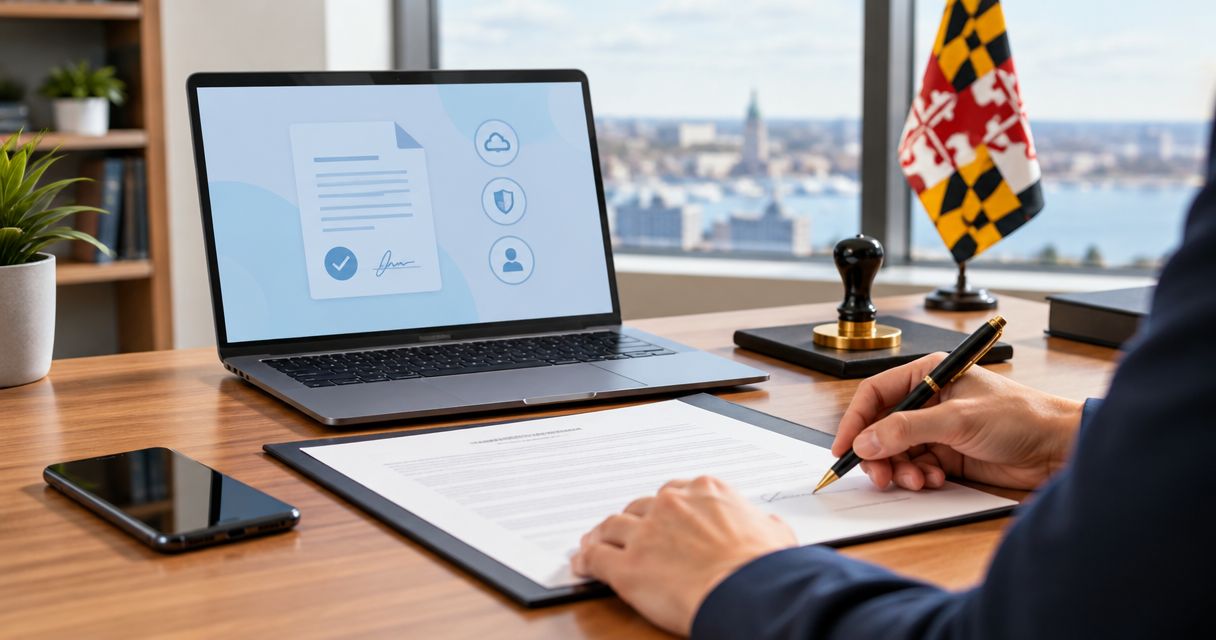
Instead of manually chasing signatures and resending zipForm files, use a document-review handoff followed by Maryland remote online notarization through Proof for eligible documents. This 2026 workflow explains how to prepare the file, confirm requirements with the recipient and CraigVet Notary Services, complete identity verification, and return the notarized document without treating a request as a confirmed appointment.
- For zipform documents notarized maryland requests, confirm document eligibility and recipient acceptance before arranging a Proof session.
- CraigVet Notary Services handles Maryland remote online notarization through Proof for eligible documents.
- Complete identity verification and follow the notary’s signing instructions; do not assume existing electronic signatures satisfy notarization requirements.
- Mobile appointments are secondary; confirm Baltimore County availability before booking.
Why this matters
A document prepared in zipForm is not notarized merely because someone signs it electronically. Notarization is a separate process involving the signer, identity verification, the required notarial act, and completion of the notarial certificate.
CraigVet Notary Services is best for Maryland individuals and businesses seeking guided remote online notarization of eligible documents through Proof. Start with CraigVet Notary Services to request a review of your document and appointment needs. The appointment is not confirmed until CraigVet contacts you.
The workflow below treats zipForm as the document-preparation source and Proof as the remote notarization platform. It does not assume an automatic connection between them or require you to build an integration.
Before you start
- Document access: Have access to the completed zipForm document and a readable PDF export. Identify the intended recipient and ask whether that recipient accepts a remotely notarized electronic document.
- Signer readiness: Have the participating signers’ contact information, identification for review, and access to a camera, microphone, and internet connection. Follow the identification and technical instructions supplied for the Proof session.
- The signing gotcha: Do not sign or replace an existing signature based on guesswork. Send the document’s current signing status for review; an acknowledgment and a signature witnessed by the notary have different procedural requirements.
For your 2026 appointment checklist, separate recipient acceptance from notarial eligibility. A recipient’s willingness to accept a document does not resolve every Maryland notarial requirement, and the ability to notarize a document does not guarantee its acceptance by the recipient.
Document preparation
Use this first stage to establish exactly what needs notarization. Do not assume every document in a transaction packet needs a notarial certificate.
- Identify the requested act. Ask the document recipient which document requires notarization and what instructions apply. If you need help deciding which legal document or notarial act to use, obtain guidance from the document preparer, recipient, or an attorney.
- Review the document. Check names, signature spaces, attachments, and any existing notarial wording. Resolve document-content questions with the responsible party before arranging the session.
- Export a readable PDF. Use the export or download instructions for your current zipForm account. Preserve the document’s pages, signature areas, and certificate wording; do not substitute screenshots for a complete file.
- Check the exported file. Open the PDF outside zipForm and inspect every page. Confirm that text is readable and that no attachment or signature page disappeared during export.
- Identify the version. Use a filename that distinguishes the document from earlier drafts, such as a document description followed by 2026 and a revision label. Do not put identification numbers or other unnecessary sensitive information in the filename.
Expected result: You have 1 complete PDF for the document under review, or clearly identified separate files if the recipient requires them separately. You also know who must sign and who will receive the completed document.
Appointment coordination
The next stage is a review and scheduling handoff, not an automatic booking. Keep document delivery separate from appointment confirmation so nobody mistakes a submitted request for a scheduled session.
- Request remote notarization. Explain that the document originated in zipForm and that you want Maryland remote online notarization through Proof. State whether the document is unsigned, partly signed, or already signed.
- Describe the participants. Identify each signer and disclose any witness instructions shown in the document or supplied by the recipient. Ask how those requirements will be handled before the appointment.
- Follow document-transfer instructions. Send the file through the method Craig provides. Do not place identity documents or sensitive transaction files into an unrequested communication channel.
- Wait for review and contact. Confirm document eligibility, participant requirements, and the appointment arrangements with Craig. Review the Proof instructions provided for your session rather than creating a separate session independently.
- Check the session setup. Use the device and browser permitted by the session instructions. Confirm that camera and microphone permissions work before you need to speak with the notary.
Expected result: You have direct confirmation of the appointment arrangements, the correct document version, and the instructions needed to enter the Proof workflow.
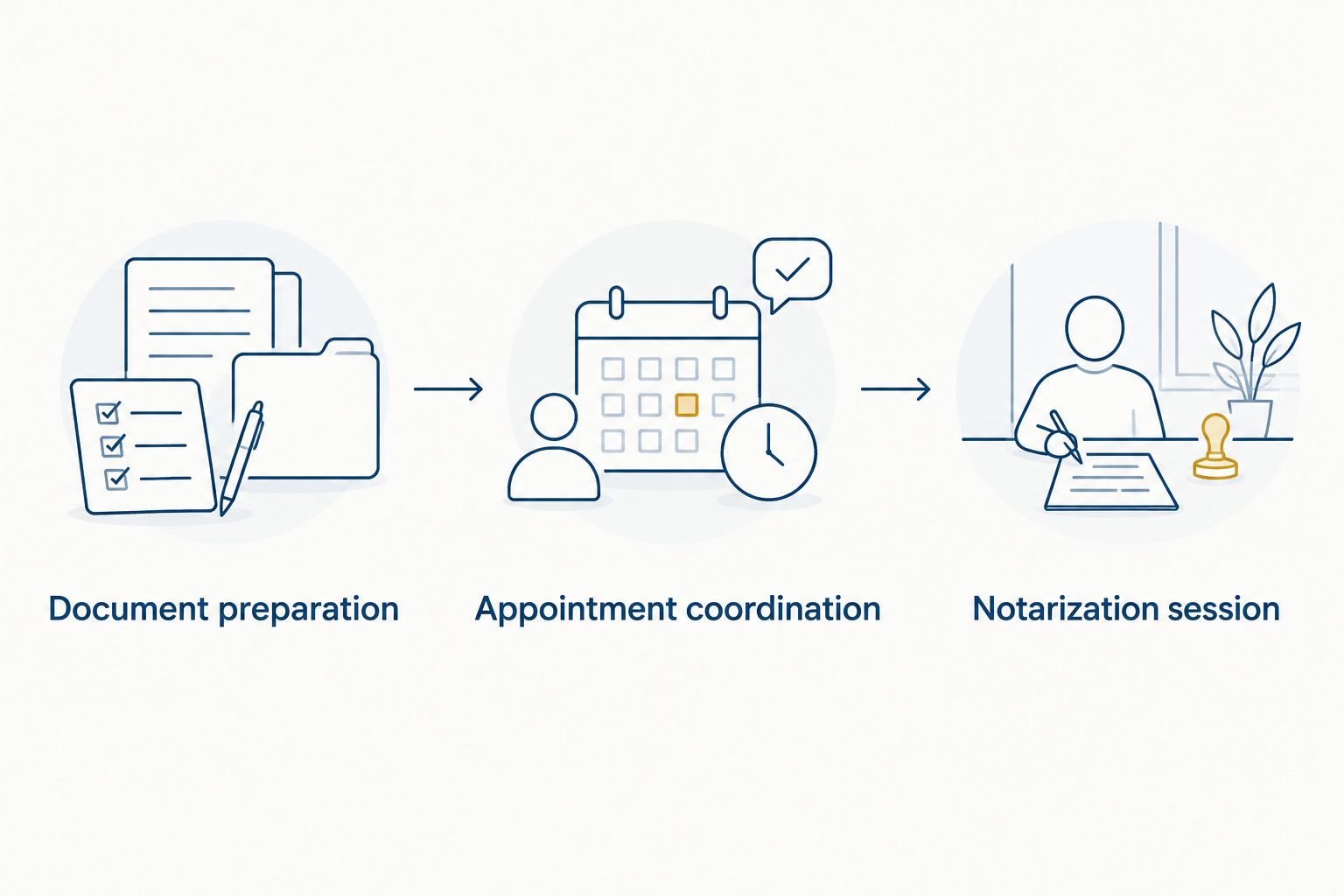
Keep the same reviewed document version throughout this handoff. Replacing the file after review introduces a new document that needs its own check.
Notarization session
At the session stage, follow the instructions presented through Proof and given by the notary. A successful camera test does not replace identity verification or establish document eligibility.
- Use the supplied access instructions. Enter the session through the invitation or access method provided for your appointment. Check that you are opening the intended session rather than an unrelated account page.
- Complete identity verification. Follow the Proof identity-verification prompts and the notary’s instructions. Stop and request assistance if information is incorrect or you cannot complete a required step.
- Review the document together. Confirm that the file is the reviewed version and that the names and signing locations are correct. Raise any unexpected change before signing.
- Follow the signing instructions. Sign, acknowledge a signature, or take an oath or affirmation as directed for the required notarial act. Do not independently add a signature while waiting for instructions.
- Retrieve and inspect the completed document. Follow the supplied instructions for obtaining the notarized file. Check that you received the intended document and return it using the recipient’s required method.
Expected result: If the notarial requirements are satisfied and the act is completed, you receive the notarized electronic document for delivery. Keep the completed file intact; do not edit its contents or remove pages after notarization.
Repeat notarizations for a business
For repeat business requests in 2026, standardize the handoff rather than assuming an approved document makes every later document eligible. Each request still needs the correct file, participants, and recipient instructions.
Track these 4 fields in your internal checklist: document version, signer details, recipient requirements, and appointment status. Keep sensitive identification material out of a general-purpose tracking sheet.
Assign one coordinator to collect the document and recipient instructions. That coordinator should distinguish a request awaiting contact from a confirmed appointment and should communicate changes before the session.
When a zipForm document changes
Treat a revision as a fresh review point. Send the updated version through the instructed channel, describe what changed, and ask whether the existing appointment arrangements still fit.
If the document was already notarized, do not edit the completed file to incorporate a correction. Ask the recipient or document preparer how to correct the underlying document, then ask Craig what notarization steps are needed for the replacement.
Best for repeat requests: A consistent manual checklist provides a clear handoff without assuming an unsupported zipForm-to-Proof automation. Its limitation is that a person must maintain the checklist and report changes.
Remote or mobile appointment?
Maryland remote online notarization through Proof is the primary route for eligible documents. An in-person mobile appointment is a separate option, with Baltimore County availability confirmed before booking.
| Workflow | Best for | Practical benefit | Limitation |
|---|---|---|---|
| Remote online notarization through Proof | Eligible documents when the recipient accepts electronic notarization | Signer and notary meet remotely through the platform | Requires identity verification, suitable technology, and document eligibility |
| In-person mobile notarization | Requests needing an in-person appointment | Provides an in-person signing process at an agreed location | Baltimore County availability and appointment arrangements require confirmation |
Neither route determines whether your document achieves its intended legal purpose. Craig is not an attorney and cannot provide legal advice, select legal documents for you, or resolve questions about your legal rights.
Request a document review
Ask about eligibility, Proof session preparation, and appointment arrangements before signing.
Troubleshooting
The PDF is missing pages or has unreadable text
Return to the source document and export it again using your account’s document instructions. Compare the new PDF with the original packet before sending it for review; do not rely on a thumbnail preview to establish completeness.
The signer already signed in zipForm
Tell Craig before the session and provide the document’s current state. Whether an existing signature fits the required procedure depends on the notarial act; do not erase, duplicate, or replace it without appropriate instructions.
Identity verification does not complete
Check that you entered information accurately and followed the identification instructions. Use the assistance route provided with the session or contact Craig for next steps; do not substitute another person’s information or assume repeated attempts resolve the issue.
The camera or microphone does not work
Check device permissions and close other applications using the camera or microphone. Follow the platform’s current device and browser guidance, then tell Craig if you still cannot participate; do not assume a telephone call alone replaces the remote session.
The recipient will not accept the electronic document
Pause before proceeding and obtain the recipient’s requirements in writing. Ask about a suitable alternative, including whether an in-person appointment is appropriate, rather than printing the electronic document and assuming that solves the acceptance problem.
Customize your workflow
For a business handling repeat requests, make document readiness part of your existing process. Your 2026 checklist should distinguish preparation, appointment confirmation, and completed-document delivery instead of treating them as a single status.
Use a short intake note with the document name, signer contact details, signing status, recipient instructions, and any deadline supplied by the recipient. A deadline is information for scheduling review, not a promise that an appointment will be completed by that time.
Ask about witness requirements early. If a document calls for witnesses, confirm the procedure before the session rather than assuming the notary supplies witnesses or that any person can participate.
After delivery, record which version you sent and whether the recipient acknowledged receipt. Keep records according to your organization’s applicable retention and privacy requirements, and avoid creating unnecessary copies of identity documents.
FAQ
How do I get zipForm documents notarized in Maryland?
Prepare a readable PDF, confirm the recipient’s requirements, and request a document review before arranging notarization. CraigVet Notary Services offers Maryland remote online notarization through Proof for eligible documents; the appointment is not confirmed until CraigVet contacts you.
Does signing a document in zipForm make it notarized?
No. An electronic signature and a notarization are separate actions, and notarization requires the applicable identity verification, notarial procedure, and certificate completion.
Can every zipForm document be notarized remotely?
No. Remote notarization depends on document eligibility, Maryland notarial requirements, participant requirements, and the intended recipient’s acceptance of the completed document.
Do I need to sign before the Proof appointment?
Do not sign in advance unless the applicable instructions tell you to do so. Tell Craig whether the document already contains signatures so the required notarial procedure can be reviewed before the appointment.
What should I do if my document changes after review?
Provide the revised document through the instructed channel and request another review before signing. Do not edit a completed notarized file; ask the recipient or document preparer how to address corrections.
Is mobile notarization an alternative to Proof?
An in-person mobile appointment is a separate service option. Confirm Baltimore County availability and the appointment arrangements before booking, and check that the proposed process meets the recipient’s requirements.
What should my business keep on its 2026 notarization checklist?
Track the document version, signer details, recipient requirements, and appointment status. Keep identity documents out of general tracking sheets and follow the secure-transfer instructions supplied for the appointment.
Can Craig tell me which legal document or notarial act I need?
Craig is not an attorney and cannot provide legal advice. Ask the document preparer, recipient, or an attorney to resolve questions about document selection, legal effect, or the required notarial act.
One last thing
Ask about the completed document before you schedule the signing. The recipient’s instructions can determine whether an electronic document fits the intended submission process, so acceptance is an intake question—not a final delivery check.
For a dependable 2026 workflow, keep the reviewed version, confirmed appointment instructions, and recipient requirements together. That gives everyone a clear reference when a signer, document, or delivery instruction changes.


