

Instead of manually chasing signatures across a Qualia closing package, use a controlled handoff to Maryland remote online notarization through Proof for eligible documents, followed by a documented return to your closing team. CraigVet Notary Services handles remote online and mobile notary appointments; confirm document eligibility, recipient acceptance, and the appointment before treating the package as ready to sign.
- For qualia closing package notarization maryland, confirm eligibility and recipient acceptance before arranging a Proof appointment.
- CraigVet Notary Services provides Maryland remote online notarization through Proof for eligible documents.
- Treat Qualia package preparation, Proof notarization, and closing-team review as separate handoffs—not an assumed integration.
- Use mobile notarization only after confirming document requirements and Baltimore County appointment availability.
Why this matters
A closing package is not a single notarization task. It can contain documents requiring a notarial act, documents requiring signatures only, and instructions governing how the completed package must be returned. Sending everything into a signing appointment without separating those requirements creates avoidable rework.
CraigVet Notary Services serves Maryland individuals and businesses needing remote online notarization of eligible documents through Proof. That service does not replace the title company's, lender's, or receiving party's approval of the document format and execution method.
For your 2026 closing procedure, separate 3 roles: the closing coordinator controls the package, the signer completes the required appearance and signing, and the notary performs the applicable notarial act. Assign responsibility for final acceptance separately. A completed notarization is not confirmation that a lender has approved disbursement or that a recording office has accepted a document.
This guide describes a coordinated handoff, not a verified native Qualia-to-Proof integration. Follow your organization's approved document-export, transmission, and filing procedures rather than assuming that either platform automatically updates the other.
Before you start
- Accounts and authority: Have authorized access to the Qualia closing file, the approved package, closing instructions, signer contact details, and the receiving party's requirements. Arrange the Proof appointment process with Craig before asking a signer to proceed.
- Signer readiness: Confirm that each signer can follow the applicable identity-verification process and participate with a working camera, microphone, and internet connection. Ask about identification requirements in advance; do not assume that possessing an identification document guarantees successful verification.
- The acceptance gotcha: Obtain approval for remote electronic execution where required before scheduling. A document being suitable for notarization does not, by itself, establish that the lender, title company, recipient, or recording office accepts that execution method.
Craig is not an attorney and cannot provide legal advice. Ask the document preparer or your attorney to resolve legal questions, select the required notarial act, or explain the legal effect of a document.
Choose the execution route
For a 2026 closing, choose the route after checking the instructions—not merely after asking which appointment is easier. Remote and mobile appointments involve different preparation and return requirements.
| Route | Best for | Practical benefit | Limitation to resolve first |
|---|---|---|---|
| Maryland remote online notarization through Proof | Eligible documents with an accepted remote electronic execution method | The signer participates remotely instead of arranging an in-person meeting | Document eligibility, identity verification, technology, and receiving-party acceptance must be confirmed |
| In-person mobile notarization | Documents or signer circumstances requiring an in-person appointment | The signer and notary meet physically | Confirm Baltimore County availability, execution instructions, and any original-document return requirements before booking |
Do not switch routes without rechecking the instructions. An electronic workflow and a paper workflow are not interchangeable simply because the document text matches. Confirm the expected final format and who is responsible for delivering it.
Package review
- Identify the approved version. Open the closing file using your authorized Qualia access and identify the package approved for execution. Check the file reference, signer names, document dates, and revision status against the closing instructions.
- Separate execution requirements. Create a document-level checklist identifying notarized documents, signature-only documents, witness requirements, and any instructions about originals. Ask the responsible preparer to resolve unclear or conflicting requirements before the appointment.
- Confirm the return destination. Identify who receives the completed documents, which transmission method is approved, and who checks the returned package. Record any instructions about recording, originals, or additional closing review without treating those tasks as part of the notarization itself.
Expected result: You have an approved package, a clear execution checklist, and a named recipient. No one needs to guess which version the signer should execute.
Use this stage to catch mismatched names and missing pages. The notary should not be asked to rewrite substantive document language or decide whether a transaction document protects a party's interests.
Appointment coordination
- Request eligibility review. Tell Craig that the documents come from a Qualia closing package and that you are requesting Maryland remote online notarization through Proof. Follow the provided instructions for sharing documents and explaining any lender, title, or recipient restrictions.
- Confirm signer requirements. Identify every person who must participate, ask how witnesses will be handled if required, and confirm the applicable identification and technology instructions. Keep sensitive identity materials within the approved process rather than circulating them through a broad email chain.
- Wait for confirmation. Coordinate the proposed appointment and contact details, but do not describe a request as a confirmed booking. An appointment is confirmed only after CraigVet Notary Services contacts the client and confirms the arrangements.
Expected result: The execution route, participants, document version, and appointment arrangements are understood before a signer enters the session.
For repeat business appointments in 2026, reuse your intake checklist—not an earlier eligibility decision. A different document, signer, recipient, or execution instruction requires its own review.
Signer preparation
- Follow the Proof instructions. Use the appointment information and identity-verification instructions provided for the session. Enter signer information accurately and resolve discrepancies through the approved support or appointment process; do not substitute another person's details.
- Prepare the signing environment. Test the camera, microphone, and connection. Keep the required identification accessible, use a private setting, and ensure the signer can communicate directly with the notary without someone else answering on the signer's behalf.
- Complete the required appearance. Follow the notary's directions for reviewing, acknowledging, signing, or taking an oath or affirmation as applicable. Do not pre-sign documents unless the instructions for that document and notarial act expressly permit it.
Expected result: The signer has followed the applicable verification and appearance process, and the notary can determine whether the requested act can proceed under Maryland notarial requirements.
A failed verification or interrupted session is not permission to bypass a requirement. Pause, identify the problem, and obtain instructions before continuing. Keep the closing coordinator informed without sharing unnecessary identification details.
Package return
- Obtain the completed documents. Follow the approved process for receiving the notarized files and any accompanying completion information. Keep the completed output intact; do not edit signed documents to repair a typo or replace a page.
- Review against the checklist. Check signer names, expected documents, completed signature areas, and notarial certificates against the approved instructions. Escalate a missing or inconsistent item to the responsible party instead of silently modifying the file.
- Return and record. Deliver the completed package through the agreed channel and associate it with the correct closing file using your organization's Qualia procedures. Record the version returned, the recipient, and any unresolved exceptions.
Expected result: The closing team can identify exactly what was executed, what was returned, and what still requires review. Notarization status and closing acceptance remain separate records.
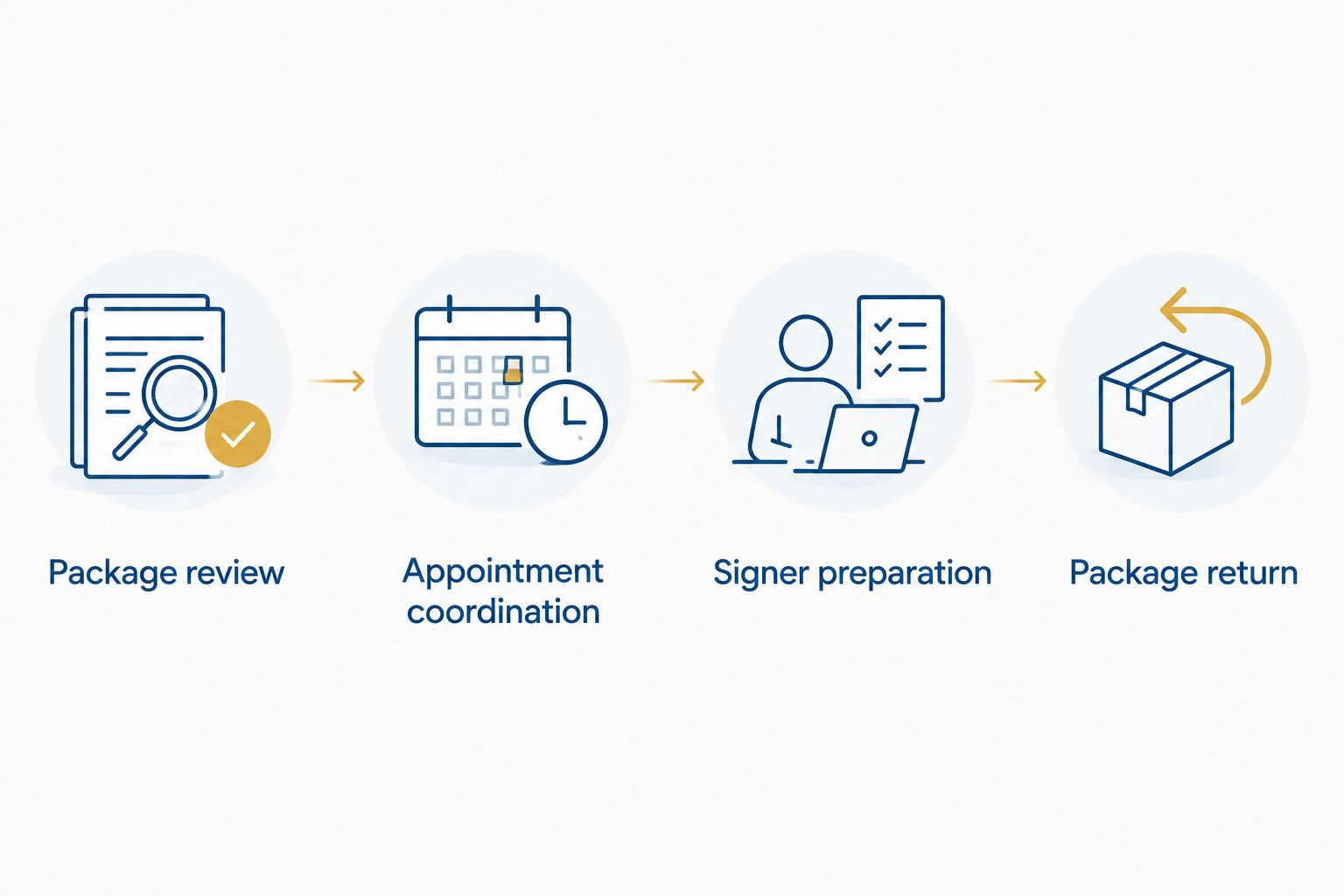
Before marking your 2026 workflow complete, make 4 checks: correct package version, expected execution, intact completed output, and documented delivery. Those checks support an orderly handoff; they do not substitute for the receiving party's substantive review.
When the closing package changes
A revised package needs a controlled restart at the affected stage. Do not assume that an existing appointment, previously completed identity check, or earlier notarization covers a replacement document.
- Identify the change. Ask the document preparer to identify the replacement version and explain which documents require fresh execution. Preserve the earlier completed package as a separate record under your retention procedures.
- Reconfirm the route. Ask whether the revised documents remain eligible for the planned notarization method and whether recipient approval still applies. Confirm any effect on signer participation, witnesses, or appointment arrangements.
- Arrange the next action. Send the approved replacement through the agreed process and obtain instructions about any additional session. Never insert an unsigned replacement page into an already completed document and present it as the original executed file.
- Return the replacement clearly. Label the revised delivery according to your organization's procedures and identify what it replaces. Ask the closing recipient to acknowledge the intended version before treating the exception as resolved.
Best for repeat closing teams: Use a standing intake checklist with a fresh document review for every package. It creates consistency without assuming that last month's instructions apply to the next transaction.
Troubleshooting
The recipient rejects remote electronic execution
Stop the remote workflow before signing. Ask the responsible closing party to confirm the accepted method and final-document requirements in writing. If an in-person appointment is needed, request mobile service and confirm Baltimore County availability before making arrangements with the signer.
The signer cannot complete identity verification
Check that the signer followed the current instructions and entered accurate information. Ask for the appropriate next step through the appointment process; do not promise approval, coach inaccurate answers, or use another person's identity. A different execution route requires a fresh suitability check.
The camera, microphone, or connection fails
Pause the session and follow the notary's instructions. Restore the connection or arrange the next step before attempting to continue. A closing deadline does not remove the required appearance and communication conditions.
A name, page, or certificate appears incorrect
Return the issue to the responsible preparer or notary, depending on the problem. Do not change substantive text, choose a notarial act for the signer, or alter the completed electronic document. Confirm whether a corrected document and another execution are required.
The notarized package is not marked complete in Qualia
Check the actual return and filing steps before assuming a notarization failure. Confirm that the authorized coordinator received the completed output, associated it with the correct file, and recorded any remaining review. This handoff does not presume automatic synchronization between Qualia and Proof.
Customize your workflow
For repeat Maryland business requests, maintain a reusable intake record containing the file reference, coordinator, signer contacts, document version, requested execution route, recipient instructions, and return destination. Keep the record separate from unnecessary copies of sensitive identification information.
Build exception handling into your 2026 procedure. Name the person who resolves document questions, the person who confirms recipient acceptance, and the person who approves a replacement package. Clear ownership prevents a notary appointment from becoming an informal legal or closing-decision meeting.
Keep mobile appointments as the secondary route when the circumstances call for physical attendance. CraigVet Notary Services offers in-person mobile notarization, but Baltimore County availability and appointment arrangements must be confirmed before booking.
FAQ
Can a Qualia closing package be notarized online in Maryland?
Eligible documents from a Qualia closing package can be considered for Maryland remote online notarization through Proof. Confirm the document requirements and receiving-party acceptance before arranging the session; not every package is suitable for remote execution.
Does this workflow automatically connect Qualia to Proof?
No automatic connection is assumed in this workflow. The authorized closing coordinator manages package preparation, the notarization handoff, and return filing under the organization's approved procedures.
Should I sign my closing documents before the online appointment?
Follow the document-specific and notary instructions rather than signing in advance by default. Whether a signature can already be present depends on the required notarial act and execution instructions.
What identification do I need for a Proof appointment?
Follow the current identification and identity-verification instructions provided for your appointment. Confirm requirements before the session; having an identification document does not guarantee that verification will succeed.
Is my appointment confirmed when I submit a request?
No, submitting a request does not confirm an appointment. Wait until Craig contacts you and confirms the arrangements before treating the session as booked.
What happens if a document needs an in-person notary?
Request an in-person appointment after confirming the document's execution requirements. Baltimore County mobile availability and the appointment arrangements must be confirmed before booking.
Can Craig tell me which closing documents I should sign?
No. Craig is not an attorney and cannot provide legal advice; direct questions about legal obligations, document selection, or transaction consequences to your attorney or the responsible document preparer.
One last thing
Set the receiving party's acceptance check before the signing appointment, not after it. A notarized document and an accepted closing deliverable are different milestones. Make that distinction explicit in your checklist so the signer, notary, and closing coordinator all know what completion means.


