
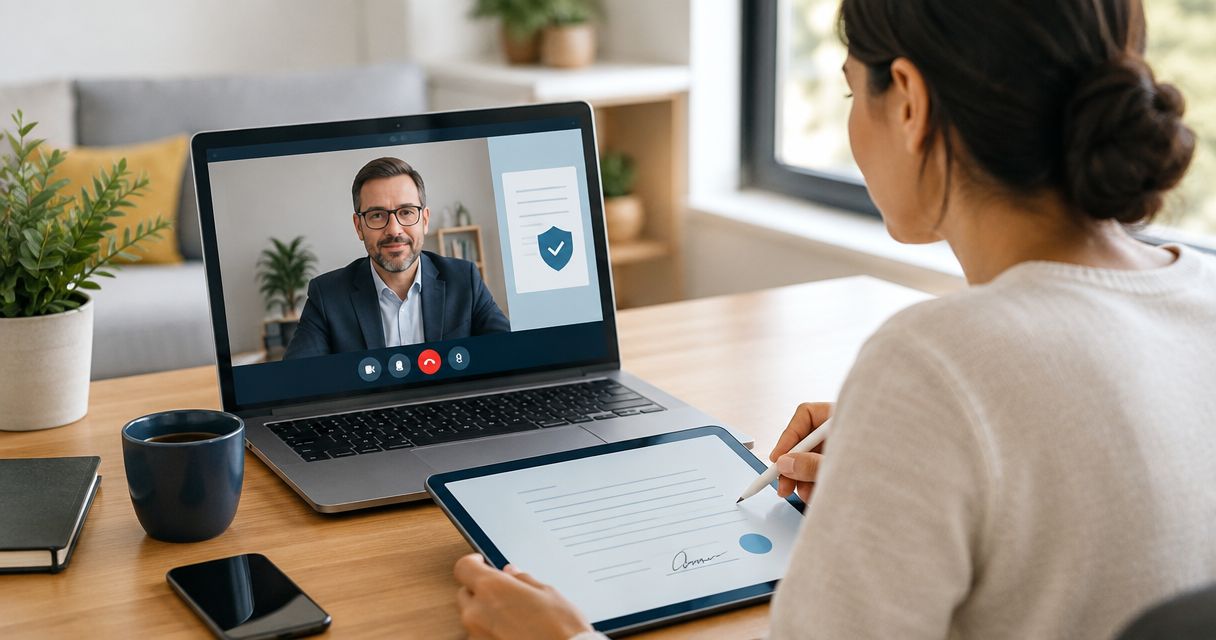
To schedule a remote online notarization session in Maryland in 2026, submit an appointment request, identify the document you need notarized, and wait for CraigVet Notary Services to contact you about eligibility and scheduling through Proof. Prepare for identity verification and a live online session before signing. Submitting a request does not confirm your appointment, and not every document is eligible for remote notarization.
- How to schedule a remote online notarization session in Maryland: request an appointment, confirm eligibility, then prepare for Proof.
- CraigVet Notary Services offers Maryland remote online notarization for individuals, families, and businesses with eligible documents.
- Confirm recipient acceptance separately from document eligibility; these are different checks.
- Wait for direct contact before treating an appointment as confirmed.
- Ask about mobile appointments when remote notarization is unsuitable; Baltimore County availability requires confirmation.
How to schedule a remote online notarization session in Maryland
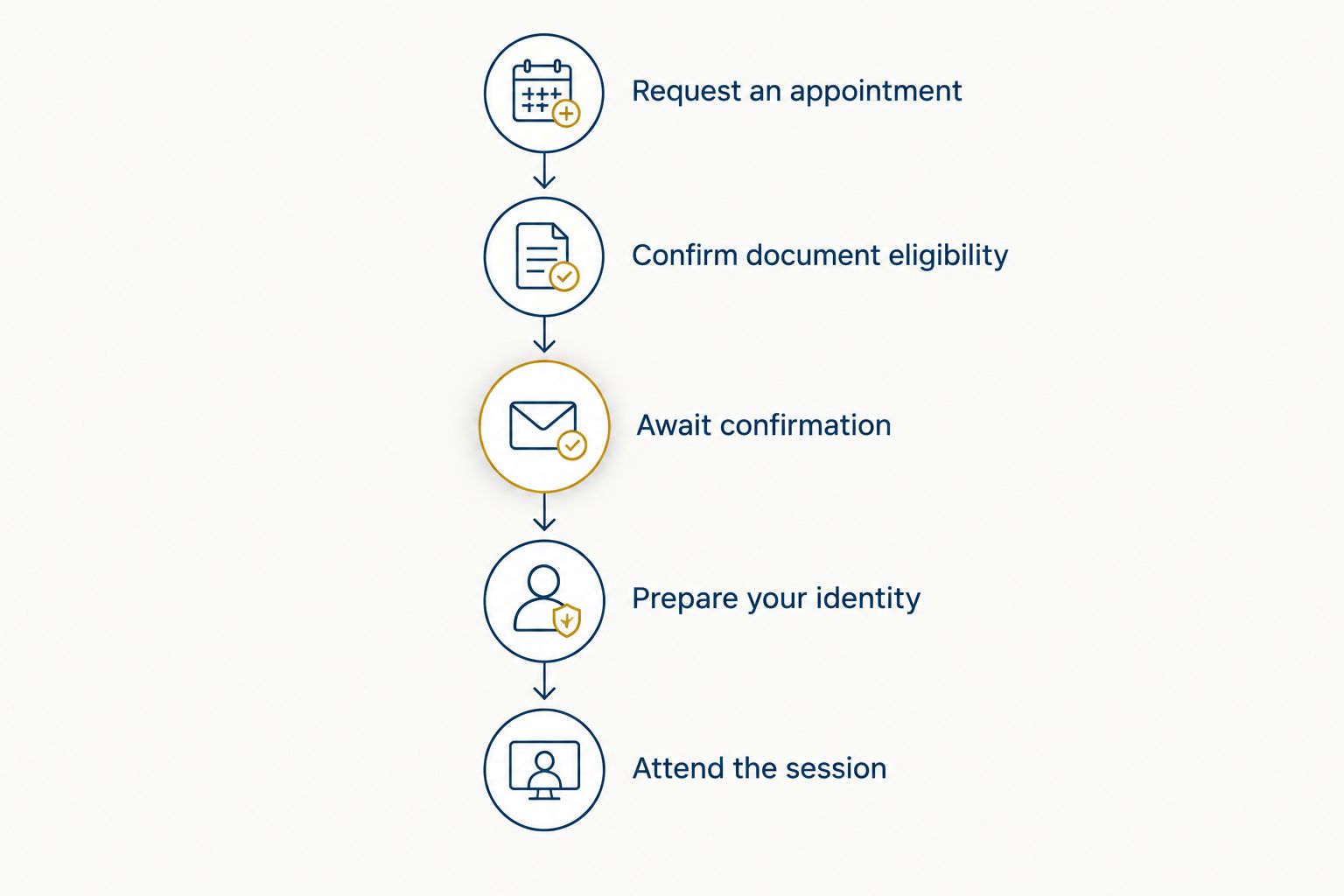
Use this 5-step scheduling sequence to move from an initial request to a prepared appointment. Start with document eligibility rather than choosing a time and assuming the document will qualify.
1. Request an appointment
Start with CraigVet Notary Services and explain that you need Maryland remote online notarization through Proof. Identify the document type, who needs to sign, and any deadline imposed by the receiving organization.
Provide enough context to explain the request without sending unnecessary sensitive information. Ask how to submit the document securely rather than assuming that an ordinary message is the right place for a completed document or identification image.
Your initial request should distinguish between a preferred appointment time and a fixed document deadline. A preference helps with scheduling; a deadline tells the notary what constraint needs attention. Neither establishes a confirmed booking.
2. Confirm document eligibility
Ask whether your particular document and requested notarial act can proceed remotely under Maryland notarial requirements. A document being available electronically does not, by itself, establish eligibility for remote notarization.
Also ask the organization receiving the document whether it accepts a remotely notarized electronic document. Recipient acceptance and notarial eligibility are separate checks. A bank, business, agency, or other recipient can have its own submission instructions.
If the document includes instructions about witnesses, original signatures, or delivery format, raise those requirements before scheduling. Do not select a notarial act or change legal wording based on a guess.
3. Await confirmation
Wait for direct contact about the appointment and the next steps for using Proof. Do not treat a submitted request, a preferred time, or an unanswered message as confirmation.
Before arranging other people around the appointment, make sure you understand the agreed time and participation instructions. If signers are in different locations, identify that during scheduling rather than when the session starts.
For an urgent deadline, state the deadline clearly and ask whether the request can be accommodated. Do not assume that sending an urgent request creates an immediate appointment or changes the eligibility review.
4. Prepare your identity
Follow the identity-verification instructions provided for your Proof session. Ask which identification and verification steps apply before the appointment, especially if you have concerns about your identification or ability to complete the process.
Prepare a device with a working camera, microphone, and internet connection for the live session. Choose a place where you can hear instructions, see the document, and participate without interruptions.
Do not assume that uploading identification completes every verification requirement. Follow the session instructions and ask for clarification if a step is unclear. Never ask another person to complete identity verification on your behalf.
5. Attend the session
Join using the instructions provided and have the relevant document ready. Follow the notary's directions about reviewing, signing, and completing the required steps; do not sign in advance unless specifically instructed.
If the document differs from the version discussed during scheduling, disclose the change before proceeding. A changed signer, revised document, or additional requirement needs attention rather than an assumption that the earlier discussion covers it.
Before leaving the session, clarify how to access the completed document and what you need to do next. Notarization and submission to the receiving organization are separate tasks, so keep the recipient's delivery instructions available.
Why this matters before you choose a time
Remote notarization brings the appointment online, but it does not remove document requirements or identity checks. Preparing the wrong document, overlooking a recipient's instructions, or assuming a request is confirmed creates avoidable scheduling problems.
For your 2026 appointment, complete 2 separate checks: whether the notarial request is eligible and whether the recipient accepts the resulting document. Keep the answers with your appointment instructions so you are not reconstructing requirements during the session.
A notarization also does not replace legal advice about what you should sign. Craig is not an attorney and cannot provide legal advice, choose legal terms for you, or advise you about the legal consequences of a document.
Remote online notarization or a mobile appointment?
Start with remote online notarization through Proof when your document is eligible and you can complete the online participation requirements. Treat a mobile appointment as a separate option, not an automatic fallback with a guaranteed time or location.
| Appointment option | Best for | Practical benefit | Limit to confirm |
|---|---|---|---|
| Remote online notarization through Proof | Individuals and businesses with eligible documents who can participate online | You attend a live online session without arranging an in-person meeting | Document eligibility, recipient acceptance, identity verification, and technical readiness |
| In-person mobile notary appointment | Signers who need an in-person appointment | You can discuss an in-person meeting instead of an online session | Baltimore County availability, meeting arrangements, and document requirements |
CraigVet Notary Services is best for Maryland individuals and businesses seeking remote online notarization through Proof for eligible documents. The service also offers mobile appointments, with Baltimore County availability confirmed before booking.
The online option is not suitable simply because it is more convenient. If the recipient requires a different format, or you cannot complete the required verification and live participation, discuss the issue before settling on the appointment method.
Request your notarization appointment
Explain your document needs, then wait for contact about eligibility and scheduling.
Why appointment preparation varies
The scheduling process depends on the actual request. These factors determine what needs clarification before an appointment can proceed:
- Document requirements: Explain what needs notarization and share any instructions supplied with the document through the requested channel.
- Recipient acceptance: Confirm that the receiving organization accepts remote online notarization and the required delivery format.
- Signer participation: Identify everyone who needs to sign and raise any location or participation questions early.
- Identity verification: Ask about the required process if your identification or ability to complete verification needs clarification.
- Appointment method: Remote participation requires technical preparation; mobile service requires confirmation of Baltimore County availability and meeting arrangements.
Do not treat another person's successful appointment as proof that your document has the same requirements. Even repeat requests need attention when the document, signer, recipient, or requested notarial act changes.
What should you prepare before the appointment?
Keep your document, recipient instructions, appointment details, and verification directions together. Review them before the session rather than opening everything for the first time after joining.
Use this preparation checklist:
- Identify the document you discussed during scheduling.
- Check for instructions supplied by the document's recipient.
- Have the identification requested for the verification process ready.
- Test your camera, microphone, and internet connection.
- Choose a private setting where you can participate clearly.
- Keep the appointment instructions accessible on your device.
- Leave signing and notarial sections untouched unless instructed otherwise.
If something changes, tell the notary. An updated document or an additional signer is relevant information, not a minor detail to leave until the end.
For a 2026 appointment, use the instructions provided for that specific session. Do not rely on screenshots, saved links, or preparation notes from an older appointment when fresh instructions have been supplied.
How should businesses organize repeat notarizations?
For repeat business requests, assign 1 coordinator to collect document requirements, identify signers, and communicate scheduling needs. This is an organizational recommendation, not a requirement that the coordinator attend or sign every document.
Keep a reusable preparation checklist, but review each request separately. A familiar document name does not establish that the latest version, recipient instructions, or signer circumstances are unchanged.
Before requesting an appointment, the coordinator should establish:
- Which document needs notarization and who prepared it.
- Who needs to sign and how to reach them.
- Whether the recipient accepts remote online notarization.
- Which deadline applies to receiving the completed document.
- Who will submit and retain the completed document afterward.
Keep legal decisions with the business's attorney or the appropriate document authority. The notary's role does not include deciding which legal document your business needs or whether its terms protect the business.
For recurring requests in 2026, maintain separate records of requested and confirmed appointments. That distinction keeps an internal calendar entry from being mistaken for confirmation from the service provider.
Can I schedule before I know whether my document qualifies?
You can submit an appointment request before eligibility is settled, but a request is not a confirmed appointment. Identify the document and ask what needs review before scheduling can be finalized.
What if I cannot complete identity verification?
Tell the notary that you cannot complete the required identity-verification step rather than trying to work around it. Ask what next steps apply to your circumstances; do not assume a mobile appointment is automatically suitable or available.
What if the recipient requires a paper document?
Ask the recipient exactly what it requires before proceeding with remote notarization. Do not assume that printing an electronically notarized document satisfies a requirement for an original paper document.
FAQ
How do I schedule a remote online notarization session in Maryland?
Submit an appointment request, identify your document, and wait for contact about eligibility and scheduling through Proof. Prepare for identity verification and follow the instructions supplied for your session.
Is my appointment confirmed when I submit a request?
No. An appointment request is not a confirmed booking; wait for CraigVet Notary Services to contact you about the appointment before treating a time as confirmed.
Can every Maryland document be notarized online?
No. Eligibility depends on the particular document and applicable requirements, and you should separately confirm that the receiving organization accepts a remotely notarized electronic document.
What identification should I prepare for a Proof appointment?
Prepare the identification requested in your session instructions and follow the required verification process. Ask about your specific identification before the appointment if you are unsure whether it meets the requirements.
Should I sign my document before the online appointment?
Do not sign in advance unless specifically instructed. Follow the notary's directions for the document and the notarial act involved.
Can a Maryland business request repeat online notarizations?
Businesses can request remote online notarization for eligible documents. Identify the signers, recipient requirements, and deadline for each request rather than assuming a previous appointment covers the next one.
Can I request a mobile notary instead of an online session?
You can ask about an in-person mobile appointment. Baltimore County availability and the appointment arrangements must be confirmed before booking.
Can Craig tell me which legal document or notarial act I need?
Craig is not an attorney and cannot provide legal advice. Ask the document's issuing organization or a qualified attorney to resolve legal questions before your appointment.
One last thing
Ask the recipient about acceptance before you organize the signing. The ability to complete an online notarization and the recipient's willingness to accept the resulting document are different questions.
For your 2026 appointment, keep that answer alongside the confirmation and Proof instructions. A prepared request identifies the document, the signer, and the recipient's requirements before the live session begins.


