
Instead of manually coordinating document versions and signing instructions, connect eligible documents to Maryland remote online notarization through Proof using the appointment instructions Craig provides. Confirm document eligibility first, prepare the correct file, complete identity verification, and sign when directed during the remote appointment.
- To connect documents to Proof notary Maryland, confirm eligibility before submitting your file or signing.
- Craigvetnotary remote online notarization suits Maryland individuals and businesses seeking guided appointments for eligible documents.
- Follow your appointment-specific Proof instructions; sending a request does not confirm an appointment.
- Use mobile notarization as a secondary option, with Baltimore County availability confirmed before booking.
Why this matters
Connecting a document to Proof is not simply attaching a file. The document, signer, identity-verification process, and requested notarial act must fit the appointment before notarization can proceed.
Craigvetnotary remote online notarization is best for Maryland clients seeking a guided appointment for eligible documents. Start with Craigvetnotary to request service and explain what needs notarization. An appointment is not confirmed until Craig contacts you.
For your 2026 paperwork, separate three tasks: preparing the document, establishing eligibility, and completing notarization. Uploading a file addresses only the first task; it does not establish that the document is eligible or that the notarization is complete.
Before you start
- Document and recipient requirements: Have the complete document and the receiving organization's instructions. Identify every signer, any witness requirement, and any instruction about electronic or original-paper delivery. Do not choose legal wording yourself if you need legal advice.
- Appointment and identity-verification access: Have access to the email address used for appointment communications, the identity materials requested through Proof, and equipment suitable for the remote audio-video appointment. Follow any account or access instructions in your invitation.
- The gotcha: do not pre-sign when witnessing is required. Some notarial acts require signing in the notary's presence. Ask Craig how to handle signatures before signing, replacing pages, or uploading a previously signed document.
Craig is not an attorney and cannot provide legal advice. Ask the document's preparer, receiving organization, or your attorney about legal sufficiency, required language, and which notarial act your situation requires.
Document eligibility and appointment request
Treat this as the first configuration stage: establish what the appointment needs before placing a document into the signing process. For a 2026 business file, record the document's purpose and receiving organization alongside the appointment request.
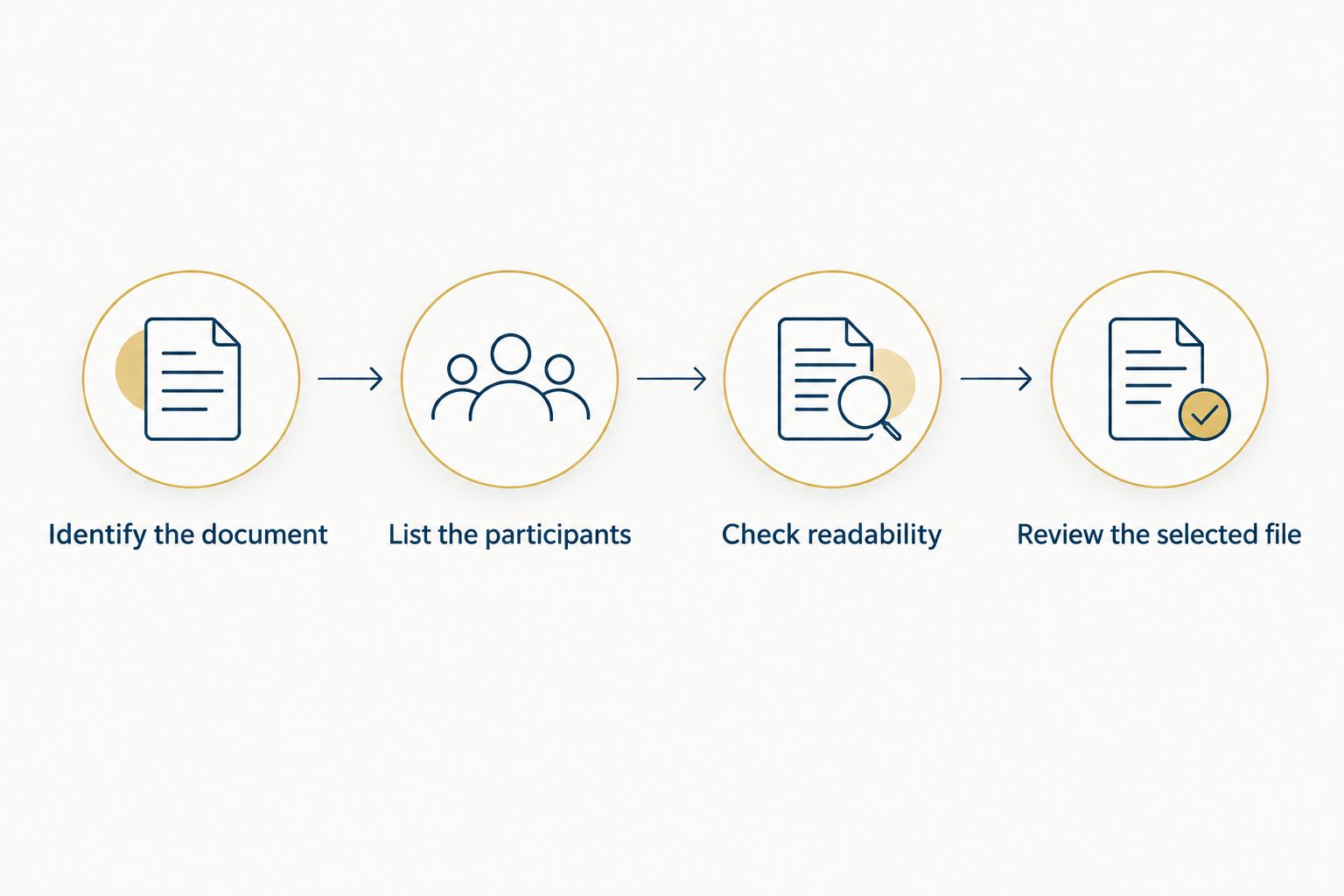
- Identify the document. Describe its general purpose and who will receive it. Explain whether the recipient supplied a required form or delivery instructions. Avoid sending sensitive document contents through ordinary messages unless directed to an appropriate submission method.
- List the participants. Tell Craig how many people need to sign and whether the document calls for witnesses. Explain where participants expect to be during the appointment so Craig can assess applicable requirements.
- Ask for remote eligibility review. Confirm whether the document and circumstances can be handled through Maryland remote online notarization. Do not assume that an electronic file makes every document eligible.
- Wait for appointment instructions. Follow Craig's response about scheduling and the Proof process. A submitted inquiry, uploaded document, or preferred appointment time is not confirmation by itself.
Expected result: You know whether to proceed remotely, which participants are needed, and what appointment instructions to follow. Resolve unanswered eligibility questions before the signing session.
Remote and mobile appointment choices
Choose the method that fits the document and recipient requirements, not just your preferred device. Mobile notarization is a secondary service, and Baltimore County availability must be confirmed before booking.
| Appointment method | Best for | Practical advantage | Limitation |
|---|---|---|---|
| Remote online notarization through Proof | Eligible documents and signers who can complete remote verification | Allows the appointment to take place through an online audio-video process | Requires suitable technology, successful identity verification, and confirmation of eligibility and recipient requirements |
| In-person mobile notarization | Documents or circumstances requiring an in-person appointment | Provides an in-person signing option | Requires location coordination; Baltimore County availability must be confirmed before booking |
Do not switch methods without checking the document requirements. A recipient's requirement for an original paper document deserves attention before you begin an electronic signing process.
Document preparation and Proof access
Prepare a clean document before following the submission instructions. The goal is one current version, not several attachments with conflicting edits.
- Create one final document version. Include all required pages in their intended order. Complete the information you are responsible for providing, but leave signatures and notarial fields untouched unless Craig directs otherwise.
- Check readability. Open the file and inspect the text, signature areas, page edges, and any notarial certificate. Replace cropped or unreadable scans before submitting them. Do not alter legal wording to make a page fit.
- Use the appointment-specific Proof instructions. Access the process through the instructions provided for your appointment. Follow the upload and participant prompts displayed there rather than starting an unrelated transaction.
- Review the selected file. Check that the uploaded document matches the version you intend to sign. If the wrong file appears, stop and ask how to replace it before proceeding.
- Report changes promptly. Tell Craig if you receive a revised document, discover another signer, or learn of a witness requirement. Do not assume a replacement attachment automatically updates every part of an existing appointment.
Expected result: The appointment uses a complete, readable document that matches your intended transaction. The correct participants and requirements are identified before identity verification and signing.
For repeat work in 2026, use a descriptive internal filename that helps your team identify the current version without exposing unnecessary personal information. A filename supports your own records; it does not replace reviewing the actual file in the appointment.
Identity verification and signing session
Identity verification and notarization are separate from file preparation. Keep the requested identity materials accessible, and use a private setting where you can hear instructions and respond without interruption.
- Complete the displayed identity-verification steps. Provide the information requested through the appointment's Proof process. Enter your own information accurately; do not ask a coworker or relative to answer identity questions for you.
- Check your equipment. Confirm that your camera, microphone, and internet connection work before joining. Allow the permissions required for the session, and close applications that interfere with audio or video.
- Join as instructed. Follow the appointment invitation and Craig's directions. Tell Craig immediately if your document, participants, or location differs from what you previously described.
- Review before signing. Confirm that the correct document is presented and that your information is accurate. Ask procedural questions before applying a signature, and sign only when directed.
- Retrieve and inspect the completed document. Follow the delivery or download instructions provided after completion. Check that you have the intended completed file, then send it to the receiving organization using its required submission method.
Expected result: If eligibility, identity verification, and the notarial requirements are satisfied, you complete the appointment and follow the instructions for obtaining your notarized document. An upload alone is not a completed notarization.
Keep your appointment workflow separate from the recipient's acceptance process. Notarization does not certify that a document is legally sufficient or that a receiving organization will accept it. Resolve submission requirements with that organization rather than treating completion as automatic acceptance.
Repeat notarizations for a Maryland business
For recurring paperwork, repeat the preparation workflow whenever a new document is ready. Do not treat a previous successful appointment as standing approval for every later document or signer.
A practical 2026 business process separates reusable preparation instructions from transaction-specific checks. Reuse the checklist, but review eligibility, participants, recipient instructions, and the document itself each time.
- Assign one coordinator. Have that person gather the current document, participant details, and recipient requirements. The coordinator can organize the request but cannot complete another person's identity verification or sign on that person's behalf.
- Run two checks before requesting the appointment. First, check the document for completeness and readability. Second, check the participant list and any witness instructions. These are preparation checks, not substitutes for Craig's eligibility review.
- Flag changes explicitly. Identify a new signer, revised certificate, different recipient, or changed delivery requirement. Do not bury those changes in a replacement attachment.
- Close the transaction in your records. Store the completed document according to your business's access and retention policies. Keep unfinished drafts separate so staff do not send the wrong version.
Best for repeat business appointments: a consistent intake checklist with a fresh eligibility check for each transaction. Its advantage is clearer preparation; its limitation is that administrative consistency cannot remove document-specific requirements.
When a document changes after submission
Stop and identify exactly what changed before continuing. A corrected address, added page, or different signer can affect the material Craig needs to review.
Send the revision through the method Craig directs and ask whether the appointment needs adjustment. Do not assume that updating a document in your own storage also updates the file associated with the Proof process.
Troubleshooting
The invitation does not open the expected appointment
Check that you are using the appointment-specific instructions and the intended email account. If the appointment details do not match your request, stop and contact Craig rather than uploading sensitive documents into an unfamiliar transaction.
Identity verification does not complete
Recheck the information you entered and follow the on-screen instructions for any permitted correction. Contact Craig about the next step if verification remains unsuccessful; do not use another person's credentials or assume the requirement can be bypassed.
The document is unreadable or the wrong version
Return to the source document and prepare a complete, readable file. Tell Craig about the problem and follow the replacement instructions before signing. Enlarging a blurry scan does not restore missing information.
The camera or microphone is unavailable
Check device permissions and close other applications using the camera or microphone. Test the equipment again before rejoining, and tell Craig if the problem prevents you from participating in the required audio-video session.
The recipient requires a different document format
Ask the receiving organization to clarify its requirement before proceeding. Explain that requirement to Craig so the appointment method can be assessed; do not assume printing an electronically notarized file satisfies an original-paper requirement.
Customize your workflow
Build your 2026 appointment checklist around the documents your household or business actually handles. Include fields for document purpose, recipient instructions, signer details, witness questions, current file version, and appointment confirmation.
For recurring requests, separate preparation from authorization. Staff can assemble materials and check that pages are readable, but Craig must still assess the notarial requirements, and each signer must complete the applicable participation and identity-verification steps.
Craigvetnotary also offers in-person mobile appointments as a secondary option. Ask about Baltimore County availability before booking, particularly when recipient instructions or document circumstances call for an in-person process.
FAQ
How do I connect documents to Proof for a Maryland notary appointment?
Confirm eligibility with Craig, prepare the complete document, and follow the appointment-specific Proof instructions. Then complete identity verification and sign when directed during the remote session.
Can every Maryland document be notarized online through Proof?
No, remote notarization is limited to eligible documents and circumstances. Confirm the document, participants, and receiving organization's requirements before proceeding.
Should I sign my document before uploading it to Proof?
Ask Craig before signing. Some notarial acts require signing in the notary's presence, so a pre-signed document can require different handling.
Does submitting my document confirm my appointment?
No, submitting a request or document does not confirm an appointment. Your appointment is not confirmed until Craig contacts you.
Can my office manager complete identity verification for me?
No, a coordinator should not complete identity verification for another signer. Each signer must follow the applicable verification and participation instructions.
What should I do if the document changes before my appointment?
Tell Craig what changed and follow the instructions for submitting the revised file. Do not assume that a replacement in your own records updates the appointment document.
Is mobile notarization an alternative if remote notarization does not fit?
An in-person mobile appointment is a secondary service to discuss with Craig. Baltimore County availability must be confirmed before booking, and the document's requirements still need review.
Can Craig tell me which legal form or notarial act I need?
Craig is not an attorney and cannot provide legal advice. Ask your attorney, document preparer, or receiving organization about legal wording and the required notarial act.
One last thing
Ask the receiving organization about its submission requirements before the appointment, not after notarization. A correctly completed appointment and an acceptable submission are separate checkpoints; confirming both protects your document workflow from an avoidable restart.


