

Instead of manually chasing signatures and moving unfinished files between systems, prepare your Dotloop documents for notarization in Maryland, confirm remote eligibility, and complete the notarial appointment through Proof. This 2026 workflow covers the document handoff, identity verification, and return of the completed file without treating an electronic signature as a notarization.
- For dotloop documents notarized maryland, confirm document eligibility and recipient acceptance before arranging a Proof appointment.
- CraigVet Notary Services provides Maryland remote online notarization through Proof for eligible documents.
- Keep Dotloop document preparation separate from the notarial appointment and identity verification.
- Return the completed notarized file to your transaction records without editing it.
Why this matters
A document signed electronically in Dotloop is not automatically notarized. Notarization is a separate act that requires the appropriate notarial procedure, not simply another signature field.
CraigVet Notary Services is best for Maryland individuals and businesses seeking remote online notarization through Proof for eligible documents. Start with CraigVet Notary Services to request an appointment and describe the document. Your appointment is not confirmed until CraigVet contacts you.
The workflow below is a manual handoff between document preparation and notarization, not an automated Dotloop-to-Proof integration. Keep those responsibilities separate: Dotloop holds your transaction materials; the notarial appointment addresses eligible documents and the required notarial act.
For a 2026 transaction, confirm the receiving party's current requirements before scheduling. Successful electronic signing does not establish that a lender, title company, recording office, or other recipient accepts a remotely notarized document.
Before you start
- Document access: Have authorized access to the relevant Dotloop documents and permission to download the correct version. Identify the receiving party and obtain its signing and notarization instructions.
- Appointment materials: Have an email address you can access, identification for review under the appointment requirements, and equipment suitable for the Proof session. Ask about each signer's participation and any witness requirements before scheduling.
- The gotcha: Do not assume an already signed document, an electronic signature field, or a notary block makes the file ready for remote notarization. Confirm the required notarial act and signing sequence before adding signatures or sending the file.
Craig is not an attorney and cannot provide legal advice. Ask the document issuer, receiving party, or your attorney to resolve questions about legal wording, document selection, or which notarial act your transaction requires.
Document preparation in Dotloop
Confirm the receiving instructions
- Identify the recipient. Record who will accept the completed document and who can answer questions about its requirements. A transaction coordinator and the final receiving party are not necessarily the same person.
- Confirm remote acceptance. Ask whether the particular document can be submitted after remote online notarization. For a real estate transaction, obtain the relevant lender, title, or recording instructions rather than assuming all parties use the same rules.
- Resolve the notarial instructions. Check the document's notarial certificate and the issuer's directions. If the required act is unclear, obtain clarification rather than asking the notary to make a legal choice for you.
- Identify all participants. List the signers and disclose any witness instructions. Ask how participation will be arranged before anyone starts signing.
Expected result: You know which document needs notarization, who must participate, and what the recipient expects to receive. Unresolved acceptance or legal questions stay outside the appointment until the appropriate party answers them.
Prepare the correct file
- Open the relevant Dotloop transaction and review the document version. Check names, attachments, page order, and the notarial certificate against the receiving instructions.
- Use Dotloop's Download action for the intended document. Download a PDF for review; do not substitute a screenshot of a signature page for the document itself.
- Open the downloaded PDF outside Dotloop. Check that the required pages are present and readable, including attachments referenced by the document.
- Keep the preparation copy separate from the eventual notarized copy. Use descriptive filenames that distinguish an unsigned preparation file from a completed record.
- Stop before signing if the signing sequence is unresolved. Ask whether the required act calls for signing during the appointment or acknowledging an existing signature.
Expected result: You have 1 preparation PDF whose contents match the intended transaction. It is ready for eligibility review, not automatically ready for notarization.
Proof appointment preparation
Request eligibility review
- Tell CraigVet Notary Services that the document comes from Dotloop and that you are requesting Maryland remote online notarization through Proof.
- Describe the document, the receiving party's instructions, the number of signers, and any stated witness requirements. Raise a deadline before scheduling rather than during the session.
- Follow the document-sharing instructions provided for your appointment. Avoid sending sensitive identification or transaction files through a channel that has not been requested.
- Wait for CraigVet to contact you about eligibility, preparation, and scheduling. A submitted request is not an appointment confirmation.
Expected result: You have appointment-specific instructions and a clear answer about whether the proposed remote workflow can proceed. Do not treat a document upload or an unanswered request as approval.
Prepare identity verification
- Read the Proof invitation and preparation instructions provided for the appointment. Follow the current process instead of instructions saved from an earlier transaction.
- Check that your identification satisfies the stated requirements. Raise differences between identification details and document names before the session.
- Test your camera, microphone, internet connection, and access to the appointment email. Choose a setting where you can communicate clearly and handle the document privately.
- Follow Proof's identity-verification prompts yourself. A business coordinator should not answer identity questions or complete verification on a signer's behalf.
Expected result: Each signer understands the verification process and can access the session. A prepared document does not replace identity verification, and verification does not resolve document eligibility.
For your 2026 checklist, keep 2 separate checks: recipient acceptance and appointment eligibility. Passing one does not establish the other.
Notarial session and document return
- Attend the session. Join using the appointment instructions. Tell the notary immediately if the displayed document is not the version you prepared.
- Follow the signing directions. Complete signatures and any required acknowledgment or oath as directed during the appointment. Do not add signatures merely because a field appears available.
- Receive the completed file. Follow the delivery instructions associated with the appointment. Confirm that you have the completed notarized document, not the earlier preparation PDF.
- Preserve the completed file. Do not edit, flatten, re-sign, or extract pages as a substitute for the completed record. Ask for instructions if the recipient requests a different file format.
- Return the file to your records. Add the completed document to the appropriate Dotloop transaction or document record using your authorized access. Keep it clearly distinguishable from the preparation copy.
- Confirm receipt. Send the completed file through the recipient's approved channel and ask whether anything remains outstanding. Completion of the notarial session is not confirmation that the entire transaction is finished.
Expected result: The recipient receives the completed notarized file, and your transaction record identifies the correct version. Your 2026 recordkeeping process should preserve the delivered file rather than recreate it from separate pages.
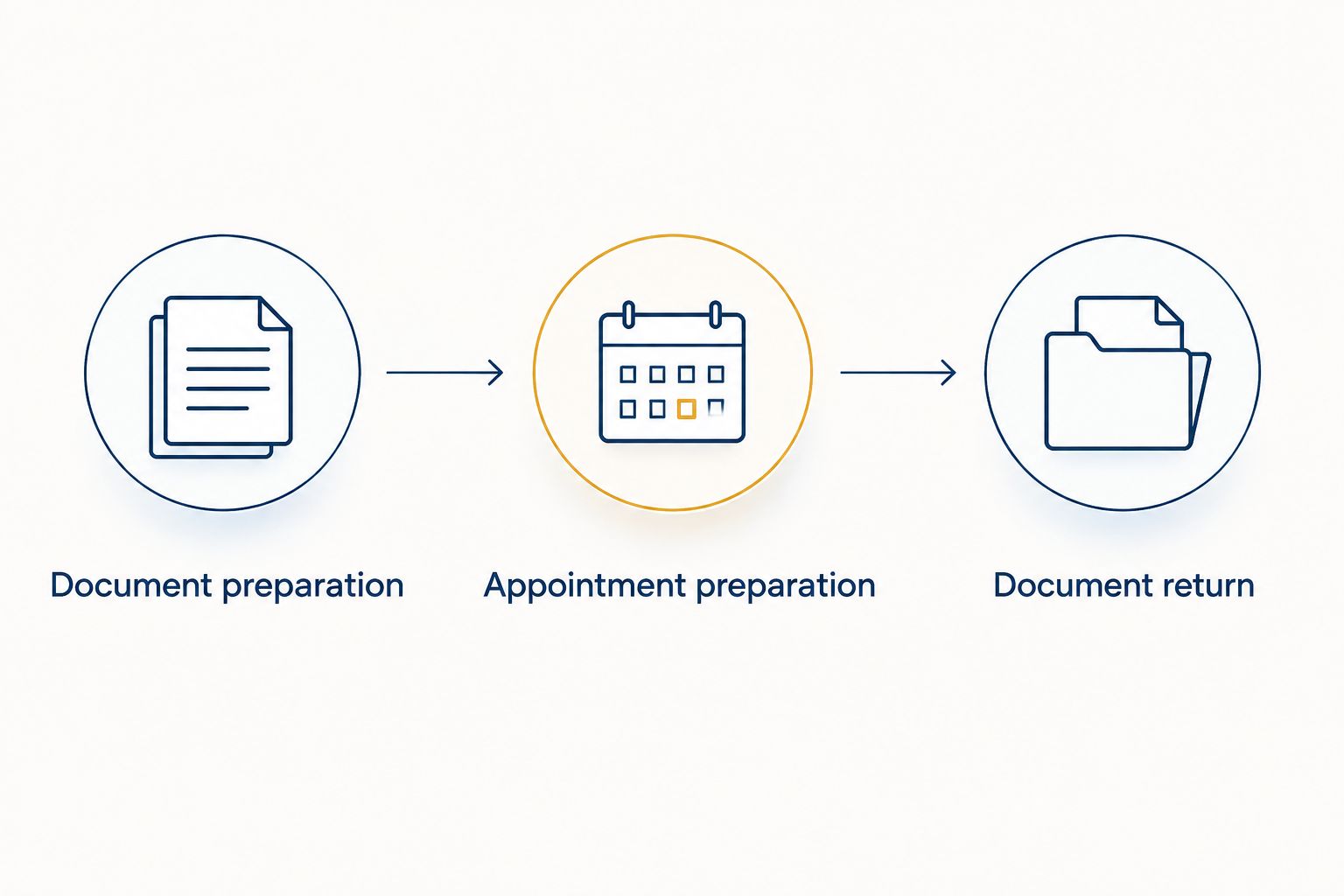
Think of this as 3 workflow stages: document preparation, appointment preparation, and document return. Each stage has a different completion check.
When a Dotloop document changes before notarization
A revised document needs a fresh version check. Do not assume an invitation or earlier eligibility discussion covers a replacement file with changed parties, certificate wording, or signing instructions.
- Stop work on the superseded preparation copy and identify the revised document in Dotloop.
- Download and inspect the replacement PDF, including attachments and the notarial certificate.
- Tell the notary that the document changed and follow instructions for replacing the appointment file.
- Reconfirm receiving requirements if the revision changes the transaction's signing or submission instructions.
- Keep the old preparation copy clearly marked as superseded in your records.
Expected result: Everyone works from the same revised document before the session starts. If a change is requested after notarization, preserve the completed file and ask what process is required; do not silently modify it.
Remote notarization or a mobile appointment?
Start with Maryland remote online notarization through Proof for eligible documents. Use the receiving instructions and appointment requirements to determine whether that route fits, rather than choosing solely because the document began in Dotloop.
| Appointment route | Best for | Practical advantage | Limitation |
|---|---|---|---|
| Remote online through Proof | Eligible documents with recipient acceptance and signers able to complete remote verification | Keeps the appointment online | Requires suitable access, identity verification, and document eligibility |
| In-person mobile appointment | A request that needs an in-person appointment and fits confirmed service arrangements | Provides an in-person route | Requires location and scheduling coordination; Baltimore County availability must be confirmed |
CraigVet Notary Services offers both remote online and in-person mobile notary appointments. Neither route guarantees that every document qualifies, and a mobile appointment is not a workaround for unresolved legal instructions.
Troubleshooting
The downloaded document is incomplete
Return to Dotloop and check the selected document and its attachments. Download the correct file again and inspect it before sharing; a missing exhibit should be resolved before the appointment.
A signature was added too early
Tell the notary before proceeding. The correct next step depends on the required notarial act and document instructions, so do not erase, replace, or backdate a signature yourself.
Identity verification cannot be completed
Follow the appointment's instructions and report the issue without sending identification through an unrequested channel. Ask what approved next step applies; another person's account or answers are not a substitute for the signer's verification.
The recipient rejects the remote format
Ask the recipient to identify the specific requirement that was not met. Share that instruction with the notary before arranging another session; repeating the same process does not resolve an acceptance problem.
The wrong version reached the appointment
Stop and identify the correct document before signing. Notify the notary and follow replacement-file instructions rather than trying to correct the transaction by editing the completed file afterward.
Customize your workflow for repeat business
For repeat notarizations in 2026, standardize the handoff rather than assuming each document receives the same treatment. Use a short internal checklist covering the recipient, document version, signers, required instructions, eligibility review, and completed-file location.
Give a coordinator responsibility for version control and appointment communication. Keep identity verification and personal signing actions with each signer, and limit access to sensitive documents to people who need it.
After each appointment, record which completed file was delivered and to whom. For the next transaction, reuse the checklist—not a previous client's identification, signatures, or completed notarial certificate.
FAQ
Can I get Dotloop documents notarized online in Maryland?
Eligible Dotloop documents can proceed through a Maryland remote online notarial appointment after document review and preparation. Confirm recipient acceptance, signing instructions, and appointment eligibility before scheduling.
Does signing a document in Dotloop make it notarized?
No. An electronic signature in Dotloop is not itself a notarization; the required notarial act must be completed separately.
Should I sign my Dotloop document before the Proof appointment?
Follow the instructions for the required notarial act before signing. Tell the notary if the document already contains a signature so the correct procedure can be addressed.
Is there an automatic Dotloop-to-Proof connection in this guide?
No. This guide describes a manual document handoff: prepare the Dotloop file, follow the Proof appointment instructions, and return the completed document to your records.
What if my identification name differs from the document?
Raise the difference before the appointment and follow the notary's instructions. Do not alter identification details or make unsupported document changes to force a match.
Can my business coordinator complete identity verification for me?
No. Each signer must complete their own required identity verification; a coordinator can organize documents and communications but should not answer verification prompts on someone else's behalf.
Can I request a mobile notary instead?
You can request an in-person mobile appointment, with Baltimore County availability confirmed before booking. The request is not confirmed until CraigVet contacts you, and document requirements still apply.
Can Craig tell me which legal document or notarial act to choose?
Craig is not an attorney and cannot provide legal advice. Ask the document issuer, receiving party, or your attorney to resolve legal document selection and unclear notarial instructions.
One last thing
The most useful final check is outside Dotloop: confirm that the receiving party has the completed notarized file. A finished appointment and a stored PDF do not establish receipt. Close the handoff with that confirmation, and preserve the exact file you delivered.


