

Instead of manually chasing signatures and then discovering that notarization still needs a separate appointment, prepare your DocuSign document for an eligibility review and a Maryland remote online notarization session through Proof. This 2026 workflow separates ordinary electronic signing from the notarial act, explains identity verification, and shows when an in-person appointment needs consideration.
- DocuSign documents notarized in Maryland need a notarial act; an electronic signature alone does not complete notarization.
- CraigVet Notary Services is best for Maryland individuals and businesses seeking eligibility review before remote notarization through Proof.
- Confirm the document version, recipient requirements, and signing instructions before your appointment.
- A request is not a confirmed appointment; wait for direct confirmation.
Why this matters
A document signed electronically is not automatically notarized. Electronic signing records a signature; notarization requires a notary to perform the appropriate notarial act, including the applicable identity verification and certificate requirements.
CraigVet Notary Services offers Maryland remote online notarization through Proof for eligible documents. Treat DocuSign and the notarial appointment as separate stages unless the specific signing process explicitly includes notarization. This guide describes a document handoff, not an automatic connection between DocuSign and Proof.
For your 2026 business workflow, keep 2 separate checks: whether the document can receive the requested notarial act and whether the recipient accepts the resulting electronic document. Neither check replaces the other.
Before you start
- Document and recipient instructions: Have access to the DocuSign document, a readable copy of all relevant pages, and the recipient's requirements for signatures, certificates, witnesses, and delivery. If you are coordinating for a business, identify who must sign and in what capacity.
- Signer access and identity materials: Prepare the identification requested for the Proof process, an email address you can access, and a device with a working camera, microphone, and internet connection. Follow the appointment instructions for the specific identity-verification requirements.
- The signing gotcha: Do not assume a completed DocuSign envelope can simply receive a notary stamp. Tell the notary whether anyone has already signed. The required notarial act determines what must happen during the appointment; some acts require signing in the notary's presence.
Craig is not an attorney and cannot provide legal advice. Ask the document recipient or an attorney to resolve legal questions about document language, the required notarial act, or your authority to sign before the session.
Document preparation
Establish the correct version
- Identify the recipient. Ask the organization receiving the document whether it accepts remote online notarization and an electronically notarized document. Explain the intended use rather than asking only whether electronic signatures are acceptable.
- Check the signing status. Establish whether the DocuSign document is unsigned, partly signed, or completed. Tell Craig which status applies before requesting an appointment.
- Save the relevant document. Use DocuSign's Download control when available to obtain a readable copy. Check that the document includes the pages and attachments the recipient requires.
- Preserve existing records. Keep the original DocuSign file and any associated completion records separately. Do not edit signatures, remove pages, or rebuild an already-signed document to create room for notarization.
- Identify unresolved instructions. Flag missing notarial wording, unclear witness requirements, or a mismatch between the signer's name and the document. Ask the appropriate party to resolve those issues before signing further.
Expected result: You have the intended document version, know its signing status, and can explain what the recipient requires. You have not treated an electronic signature as proof of notarization.
For repeat business requests in 2026, assign one document coordinator. That person should manage versions and recipient instructions, while each signer remains responsible for participating in the required identity verification and notarial session.
Choose the appropriate appointment route
The following routes serve different purposes. They are not interchangeable ways to achieve the same legal result.
| Route | Best for | Advantage | Limit |
|---|---|---|---|
| DocuSign electronic signing | Documents requiring electronic signatures without a separate notarial act | Collects electronic signatures | An ordinary signing workflow does not itself satisfy a notarization requirement |
| Maryland remote notarization through Proof | Eligible documents whose recipients accept remote notarization | Allows the signer to participate remotely | Requires eligibility review, identity verification, and a suitable live connection |
| In-person mobile notarization | Requests needing an in-person appointment, subject to review | Provides a physical meeting with the notary | Baltimore County availability and appointment details require confirmation |
Use the route required by the document and recipient, not simply the route you used for an earlier signature. Remote notarization removes travel from the appointment, but it does not remove document eligibility or identity requirements.
Appointment coordination
Request eligibility review
- Describe the document. Tell CraigVet Notary Services what you need notarized, who will receive it, and whether it has already been signed through DocuSign. Include the recipient's instructions and your deadline.
- Identify everyone involved. Explain whether there are multiple signers, a business representative, or requested witnesses. Do not assume that coordinating the appointment permits you to sign for someone else.
- Ask how to provide the file. Follow the document-sharing instructions supplied for your request. Avoid sending identification documents or sensitive files through a channel that has not been requested.
- Resolve eligibility questions. Confirm whether the requested notarization can proceed remotely and what the signer needs to prepare. Escalate legal questions to the recipient or an attorney rather than asking the notary to choose legal wording.
- Wait for contact and confirmation. A submitted request does not confirm an appointment. Wait until CraigVet contacts you and confirms the arrangements before treating the session as booked.
Expected result: You know the proposed appointment route, the preparation requirements, and whether your appointment has actually been confirmed.
Keep your 2026 appointment record simple: document name, version, signer, recipient instructions, and confirmed appointment details. Do not add identity-document copies to a shared business tracker merely to make coordination easier.
Request an eligibility review
Explain your document, signing status, and recipient requirements before arranging an appointment.
Proof session and document handoff
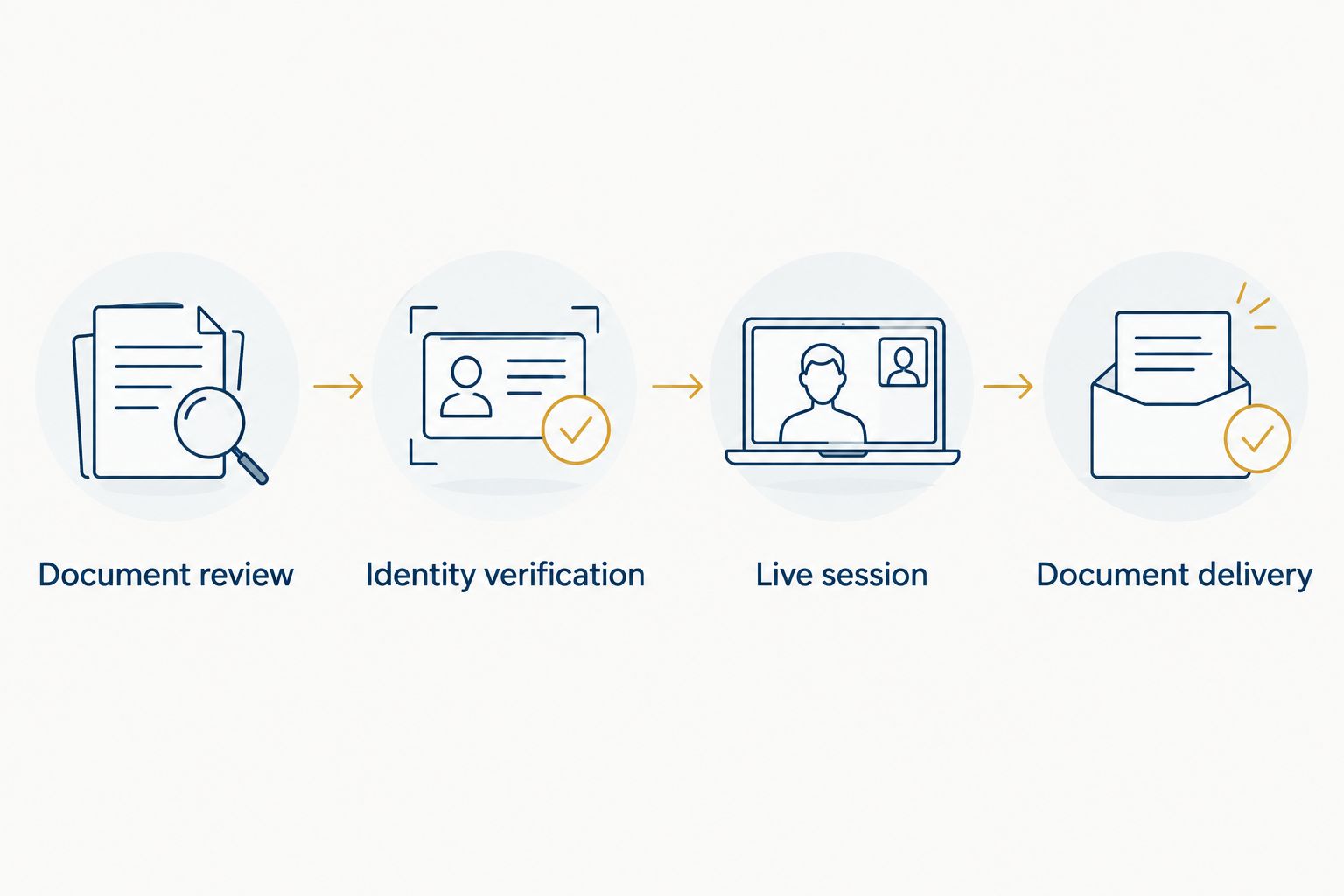
Complete the confirmed appointment
- Document review: Open the appointment instructions and make sure the document matches the version reviewed for the request. Stop if a different version appears or required pages are missing.
- Identity verification: Follow the Proof identity-verification prompts and the notary's instructions. Use your own information and the requested identification; a colleague cannot complete identity verification on your behalf.
- Live session: Join with working audio and video. Follow the notary's directions about signing, acknowledging a signature, or taking an oath or affirmation, as applicable to the requested act.
- Document delivery: Follow the instructions for obtaining the completed document. Check the file for readability and completeness, then deliver it using the recipient's required method.
Expected result: If the notarial act is completed, you have the resulting document and a clear delivery task. Joining the session or completing an identity check alone is not confirmation that notarization is finished.
Before sending the completed file, open it rather than relying only on its filename. Confirm that the expected pages are present and that you are attaching the notarized result, not the earlier DocuSign version.
Keep the completed electronic file unchanged. Do not paste its certificate onto a different version or combine it with replacement signature pages. Ask the recipient how to handle a requested correction instead of editing a completed notarization yourself.
When the document is updated after DocuSign signing
A changed document needs a fresh review of the signing and notarization instructions. Do not assume an earlier signature or notarial certificate covers revised content.
For repeat requests in 2026, use this change-control sequence:
- Pause the handoff. Identify who requested the change and stop circulating the earlier version as the final document.
- Obtain the revised file. Keep the prior version separately and identify what changed. Do not alter the old signed file to make it resemble the revision.
- Reconfirm the requirements. Ask the recipient whether new signatures or another notarization are required. Bring questions about legal effect to an attorney.
- Request appointment guidance. Tell the notary that the document changed and whether any previous appointment or notarial act was completed.
Expected result: The recipient, signer, and notary are working from the same version before another signing session begins.
This second workflow is especially useful for businesses handling recurring forms. Standardize the intake questions, not the answer to whether every document qualifies for remote notarization.
Troubleshooting
The DocuSign document is already signed
Tell the notary before the appointment and identify the requested notarial act. An existing signature does not automatically make notarization impossible, but it also does not establish that the required act has occurred. Wait for instructions before signing again or replacing pages.
Identity verification does not complete
Follow the displayed instructions and tell the notary where the process stopped. Check that you entered your own information accurately and supplied the requested identification. Do not substitute another person's information or assume that a familiar business relationship overrides verification requirements.
The camera or microphone fails
Check device permissions, close other applications using the camera, and test your connection before rejoining as instructed. Tell the notary if you cannot maintain usable audio and video. Do not assume a phone call alone can replace the required remote session.
The recipient rejects remote notarization
Ask the recipient to clarify its acceptance requirements before arranging another appointment. Discuss whether an in-person route is appropriate for the document. For mobile appointments, confirm Baltimore County availability before booking; a remote eligibility review does not reserve a mobile visit.
The final file is the wrong version
Stop delivery and compare the file with the version identified for the appointment. Contact the notary about the discrepancy. Never move a notarial certificate or signature image onto the intended version yourself.
Customize your workflow
For a recurring business process, create a short intake template with 3 required fields: document version, recipient requirements, and signer details. Add witness instructions or other requirements when relevant, rather than assuming every request follows the same pattern.
CraigVet Notary Services supports Maryland remote online notarization through Proof; document eligibility still needs review for each request. A repeat client relationship does not replace the signer's participation or the applicable notarial requirements.
Use one coordinator to collect instructions and circulate the completed file to authorized recipients. Keep appointment coordination separate from legal decision-making: your coordinator can track a missing instruction, but should not choose a notarial act without appropriate direction.
FAQ
Can I get DocuSign documents notarized in Maryland?
An eligible document used in DocuSign can be considered for Maryland notarization, but an ordinary electronic signature is not itself notarization. Have the document, signing status, and recipient requirements reviewed before arranging a remote session through Proof.
Does signing in DocuSign mean my document is notarized?
No. A standard electronic signing process does not by itself establish that a notary performed the required notarial act. Check the actual workflow and completed document rather than relying on the presence of an electronic signature.
Should I sign before my remote notary appointment?
Follow the notary's instructions before signing. Some notarial acts require signing in the notary's presence, so disclose any existing DocuSign signatures during the eligibility review.
Do I need a DocuSign account for a Proof appointment?
Do not assume that a DocuSign account is a requirement for the separate Proof appointment. You need access to the document and must follow the access and identity-verification instructions supplied for your confirmed session.
Can our office coordinator complete identity verification for employees?
No. Each signer must complete the required identity verification personally. An office coordinator can organize documents and appointment details but cannot participate as another person's identity.
Is my appointment confirmed when I submit a request?
No. Your appointment is not confirmed until CraigVet contacts you and confirms the arrangements. Provide the document details and deadline, then wait for direct confirmation.
What if my document needs an in-person notary instead?
Ask about an in-person mobile appointment after clarifying the document requirements. Baltimore County availability must be confirmed before booking, and a request does not reserve an appointment.
Can Craig tell me which legal wording my document needs?
Craig is not an attorney and cannot provide legal advice. Ask the document recipient or an attorney to resolve legal wording and required-act questions before the appointment.
One last thing
Check the attachment, not just the email subject. A correctly completed appointment still leaves a practical delivery risk: sending the earlier DocuSign file instead of the notarized result. Open the exact attachment you intend to send, confirm its version, and preserve the completed electronic document unchanged.


